
Access control systems decide who can enter your premises, which areas they can reach and when. Corporate offices, factories, hospitals, warehouses, schools and colleges across India rely on them every day.
Even a well-installed system develops faults. A fingerprint scanner rejects a valid employee, a power cut leaves a door in the wrong state, or a branch goes offline, and the security team loses sight of who came in. Left unfixed, these access control system failures cause queues at the gate, attendance disputes and real security gaps.
Indian sites face extra pressure: dust, high summer heat, monsoon humidity, frequent power interruptions and patchy connectivity outside metro areas. This guide covers the nine most common access control system challenges, why each one happens, and practical access control system troubleshooting steps to fix it.
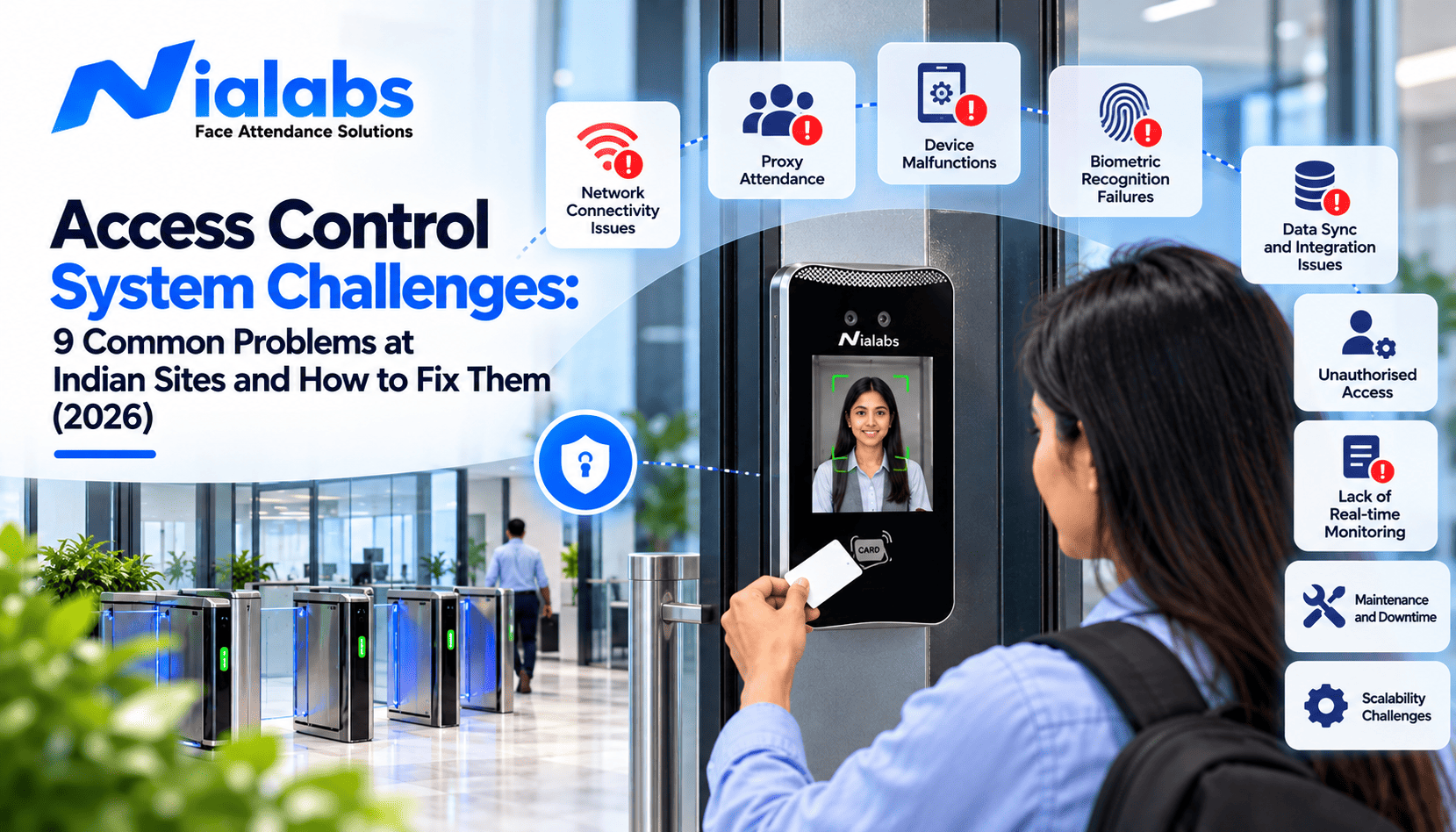
The most common access control system problems are biometric recognition failures, lost or cloned RFID cards, power cuts, network outages, poor software integration, outdated permissions, weather damage to outdoor readers, multi-branch management gaps and weak cybersecurity. Most can be fixed with regular sensor cleaning, same-day credential deactivation, a tested UPS, offline-capable controllers, weather-rated hardware, role-based permissions and a written maintenance schedule.
Access Control Problems at a Glance
|
Common challenge |
Usual cause |
Recommended fix |
|
Biometric authentication failures |
Dirty sensors, poor lighting, worn fingerprints |
Clean sensors, re-enrol users, offer a backup credential |
|
Lost or misused RFID cards |
Slow deactivation, unencrypted cards |
Deactivate the same day, use encrypted cards |
|
Power interruptions |
Missing or weak backup power |
Install and test a correctly sized UPS |
|
Network downtime |
Unstable internet, server issues |
Use offline-capable controllers and backup connectivity |
|
Integration failures |
Incompatible APIs, mismatched employee IDs |
Test integrations before go-live, use one employee ID |
|
Unauthorized entry |
Delayed offboarding, tailgating |
Role-based permissions, turnstiles, regular reviews |
|
Weather damage |
Dust, heat, rain, humidity |
IP-rated hardware, enclosures, seasonal inspections |
|
Multi-branch management |
Separate systems per site |
Centralized cloud administration with local controllers |
|
Cybersecurity and privacy gaps |
Default passwords, open admin access |
Strong admin controls, updates, DPDP-aligned data handling |
9 Common Access Control System Challenges and How to Fix Them
1. Biometric Devices Fail to Recognize Authorized Users
Short answer: Biometric recognition failures are usually caused by dirty sensors, poor lighting, worn fingerprints or wrong device placement, not by a faulty device.
The problem: An employee places a finger on the scanner or stands in front of a face recognition device, and the system fails to authenticate them. When this repeats at a busy entrance during shift change, queues build quickly.
Why it happens: Dirty or scratched fingerprint sensors, worn or dry fingerprints (common among factory, construction and housekeeping staff), strong backlight or low light at the entrance, incorrect positioning and outdated enrolment templates. A matching threshold set too strictly also raises the False Rejection Rate, so genuine users get rejected more often.
How to fix it:
• Clean fingerprint sensors with a soft, dry, lint-free cloth weekly at busy or dusty entrances.
• Re-enrol users who fail repeatedly, and capture two or more fingers per person.
• Mount face terminals at the recommended height, away from direct sunlight and strong backlight. For night shifts, choose devices with infrared cameras; see how face recognition performs in low light.
• Adjust matching thresholds only within the manufacturer's guidance, so convenience does not come at the cost of security.
• Give users with worn fingerprints a backup method, such as an RFID card, a PIN or a face and fingerprint terminal.
• Insist on liveness detection so the device rejects printed photos and video replays.
Businesses comparing dynamic face recognition terminals should check the camera type, liveness detection, recognition distance and how many users the device must handle per minute at peak hours.
2. Lost, Shared or Cloned RFID Access Cards
Short answer: An RFID card that stays active after it is lost, shared or not returned at exit is one of the easiest ways into a secured building.
The problem: An employee loses an access card, shares it with a colleague, or leaves the organisation without returning it. If the card remains active, someone else can use it to enter restricted areas.
Why it happens: Poor credential management and delayed updates between HR and security leave old cards working. Many older 125 kHz proximity cards also transmit a fixed ID without encryption, which makes them easy to copy with inexpensive duplicators.
How to fix it:
• Deactivate lost cards the same day they are reported, and make card return part of exit formalities.
• Link HR exits to the access system so offboarding removes access automatically.
• Audit issued cards against the active employee list every quarter.
• For sensitive areas, use encrypted 13.56 MHz RFID cards and add a second factor such as face or PIN.
For a deeper look at card-based entry, read our guide to RFID access control door locks and entry systems.
3. Power Cuts Disrupt Access Control Operations
Short answer: During a power cut, every door either stays locked or releases. That behaviour should be a deliberate, door-by-door decision, backed by tested backup power.
The problem: A power interruption stops readers, controllers or electronic locks. At a factory or office with frequent outages, this disrupts entry and adds work for security staff.
Why it happens: There is no backup, the UPS is undersized, batteries are past their rated life, or the locks are not on the backup circuit.
How to fix it:
• Put readers, controllers and locks on a UPS or dedicated battery backup sized for your typical outage duration, with a safety margin.
• Test the backup every month by briefly switching off mains power, and check battery health every quarter. High temperatures shorten battery life.
• Use controllers that store access logs locally, so no records are lost during an outage.
Fail-safe vs fail-secure: A fail-safe lock, such as an electromagnetic (EM) lock, releases when power is lost, which supports safe evacuation on exit routes. A fail-secure lock stays locked without power, which suits server rooms, cash rooms and record rooms. Configure each door according to its purpose and applicable fire and life-safety requirements, including the National Building Code of India where it applies. Exit routes must always allow people to leave.
4. Network Problems Interrupt Monitoring and Updates
Short answer: A network outage should only delay reporting. It should never stop authorized people from entering.
The problem: A branch loses connectivity, and the central security team can no longer see live entry activity or push permission changes.
Why it happens: Unstable internet, server failures and network misconfiguration interrupt communication between devices and management software.
How to fix it:
• Choose controllers and terminals that authorize users locally and use offline sync, storing events on the device and uploading them when the connection returns. The Nialabs 4-door access control panel, for example, stores 30,000+ users and 100,000+ access logs with full offline capability.
• Prefer wired Ethernet for door controllers. For remote sites with weak broadband, consider a face recognition terminal with a 4G SIM as backup connectivity.
• Set up alerts that tell the admin when a device goes offline.
• Before deployment, unplug the network cable and test: Does the door still work? Are events stored? Do they sync correctly once the connection is restored?
This test matters most when evaluating access control systems for facilities spread across different locations.
5. Access Control Software Does Not Integrate Properly
Short answer: When HR, attendance and access control each keep their own employee list, permissions drift out of sync.
The problem: A business uses separate systems for door access, CCTV, attendance and HR, and the data does not match. An employee's access is updated in one system while their details remain unchanged in another.
Why it happens: Incompatible protocols, APIs or data formats; different employee IDs in each system, and manual CSV imports that nobody owns.
How to fix it:
• Ask vendors for a live demo of the exact integrations you need: HRMS, payroll, CCTV and visitor management.
• Use one employee ID across every system.
• Check for open APIs and standard interfaces such as the Wiegand protocol for third-party readers.
• Test the joiner, mover and leaver flows end to end before go-live.
Connecting access logs to HRMS software removes double entry for attendance and payroll. Businesses linking physical security with attendance can explore biometric solutions for attendance, security, and access management.
6. Incorrect Permissions and Unauthorised Entry
Short answer: Most unauthorised entries happen through valid but outdated permissions or tailgating, not by defeating the hardware.
The problem: A former employee can still enter, a visitor reaches a restricted area, or someone follows an authorised employee through a secured door without presenting their own credential.
Why it happens: Delayed offboarding, overly broad permissions, doors propped open and weak visitor procedures undermine an otherwise effective setup.
How to fix it:
• Assign permissions by role, zone and schedule, and give each person only the access they need.
• Remove access the same day someone leaves or changes roles, and review permissions every quarter to prevent unauthorised access.
• Register guests through a visitor management system with time-bound passes that expire automatically.
• Install tripod turnstiles at high-footfall entrances to enforce one person per entry, and add anti-tailgating sensors in higher-security areas.
• Turn on door-held-open and forced-door alarms, and review them daily.
7. Indian Weather Conditions Damage Outdoor Equipment
Short answer: Dust, heat, monsoon rain and humidity are the main reasons outdoor readers fail early in India. The fix is hardware rated for the site, plus seasonal inspections.
The problem: An outdoor reader starts malfunctioning during the monsoon, or a device near a factory entrance becomes unreliable after months of dust and heat.
Why it happens: Equipment not suited to its location deteriorates under moisture, high temperature, dust and humidity. Poorly sealed cabling and lightning surges add further damage.
How to fix it:
• Choose weather-resistant access control devices. For readers exposed to rain and dust, IP65 or higher is a common benchmark: the first digit 6 means dust-tight, and the second digit 5 means protection against water jets.
• Check the operating temperature and humidity range against peak summer and monsoon conditions at your site, and keep devices out of direct afternoon sun.
• Install a weatherproof enclosure or canopy for devices that are not rated for outdoor use.
• Use sealed conduits, drip loops and surge protection on cabling.
• Inspect outdoor equipment before and after the monsoon.
Regular maintenance matters most at factories, construction sites and outdoor gates, where devices face harsher conditions than indoor office equipment.
8. Managing Multiple Branches Becomes Difficult
Short answer: Running a separate access system at every branch multiplies admin work and creates inconsistent security. One central platform with local controllers solves both.
The problem: A company grows from one office to several branches, but each location manages access its own way. Updating permissions, checking records and keeping policies consistent becomes slow.
Why it happens: Disconnected systems, limited controller capacity and inconsistent procedures make it hard to manage users and devices across locations.
How to fix it: Use a centralised access control system with a cloud dashboard that supports your number of users, doors and locations. Central administration simplifies permission updates and reporting, while local controllers keep each site running during connectivity interruptions. Standardise role templates across branches and give branch admins limited rights. A phased rollout helps; see how to manage a rollout across five branches without an IT team.
Before expanding, check how the system handles site-specific permissions, central monitoring, data synchronisation, and future hardware additions.
9. Weak Cybersecurity and Poor Data Protection
Short answer: An access control system is a networked IT system. Default passwords or open admin access are as risky as an unlocked door.
The problem: An administrator account uses a default password, too many employees can change security settings, or access records are stored without adequate protection. These gaps expose sensitive data and make it easier to interfere with physical security.
Why it happens: Outdated firmware, weak passwords, excessive admin privileges and unclear data-handling procedures.
How to fix it:
• Replace all default passwords and use multi-factor authentication for admin accounts.
• Limit admin rights to the few people who need them.
• Apply firmware and software updates through an approved change process.
• Keep access control devices on a separate network segment from general office traffic.
• Protect audit logs from editing and review them regularly for unusual activity.
Biometric data and the DPDP Act: Fingerprints and facial data are personal data under the Digital Personal Data Protection Act, 2023. The DPDP Rules, 2025 were notified in November 2025, and most core obligations for organisations, including clear notice, consent, reasonable security safeguards, breach reporting and erasure once the purpose is served, apply from May 2027. Collect only what you need, store encrypted templates rather than raw images where possible, and define how long records are kept. Our DPDP Act 2023 and biometric attendance guide covers this in more detail. This is general information, not legal advice.
Access Control Troubleshooting Checklist: 7 Steps to Find the Fault
When a door or reader stops working, run through these steps in order before calling support:
1. One user or everyone? If only one person fails, check their credential, enrolment and permissions. If everyone fails, check the device, power or network.
2. One door or all doors? One door points to the reader, lock or wiring. All doors point to the controller, server or network.
3. Check power. Look at the device power indicator and the UPS status.
4. Check connectivity. Confirm the device shows online in the dashboard and check its last sync time.
5. Read the event log. An "access denied" entry means a permission or schedule issue. No entry at all means a reader or communication fault.
6. Inspect the lock hardware. Check door alignment, the strike plate and EM lock contact.
7. Escalate with details. Share the device ID, time of failure and a log screenshot with your vendor's support team.
How to Prevent Access Control System Failures
Fixing a problem after it occurs is important, but preventing it saves time and money. Use this access control maintenance schedule as a starting point and adjust it to manufacturer guidance and site conditions.
|
Frequency |
Maintenance task |
|
Weekly |
Clean biometric sensors at busy or dusty entrances; review offline-device alerts |
|
Monthly |
Test UPS backup; test emergency release on exit doors; review denied-access and door-held-open reports |
|
Quarterly |
Audit active users and cards against the HR list; review admin accounts; check battery health; apply approved firmware updates |
|
Before and after monsoon |
Inspect outdoor readers, enclosures, seals, cable entries and surge protection |
|
Annually |
Full audit of permissions, integrations and data retention; refresher training for security staff |
Many failures trace back to decisions made during setup. Avoid the top 5 mistakes organisations make when implementing a biometric system.
How to Choose the Right Access Control System for Your Site
Not every facility needs the same setup. A small office may need controlled entry at one or two doors, while a manufacturing plant may need several restricted zones and multiple shifts. Before investing in access control solutions, check:
• Authentication options: Fingerprint, face recognition, RFID, mobile credentials or multi-factor authentication, based on your risk and footfall.
• Reliability: Backup power, local authorisation during network outages and clear recovery procedures.
• Integration: Proven compatibility with CCTV, HRMS, payroll and attendance platforms.
• Scalability: Room for more doors, users and branches.
• Security and privacy: Credential encryption, admin controls, tamper-proof audit logs and DPDP-aligned biometric data handling.
• Environment: IP rating and operating temperature suited to each installation point.
• Technical support: Installation expertise, maintenance arrangements and response times.
Review the available AI biometric attendance devices to see which authentication technologies fit your requirements, or compare options in our biometric access control buyer's guide for India.
The best choice is not the system with the most features. It is the one that addresses your site's actual security risks, works reliably under local conditions and stays manageable as your organisation grows.
Key Takeaways
• Most access control problems come from maintenance, configuration and process gaps, not from faulty hardware.
• Offline-capable controllers and tested backup power keep doors working through network and power outages.
• Same-day deactivation of lost cards and exiting employees closes the most common security gap.
• Outdoor devices in India need IP-rated hardware and checks before and after the monsoon.
• Biometric data is personal data under the DPDP Act, 2023, so access to it must be limited and documented.
Frequently Asked Questions
What are the most common access control system problems?
The most common problems are biometric recognition failures, lost or cloned RFID cards, power cuts, network outages, integration errors between access and HR software, outdated permissions, weather damage to outdoor readers, multi-branch management gaps and cybersecurity weaknesses such as default admin passwords.
Why does a biometric access control system fail to recognise someone?
Common causes are dirty or scratched sensors, worn or dry fingerprints, poor lighting or strong backlight, incorrect positioning and outdated enrolment. Cleaning sensors, re-enrolling the user, adjusting device placement and offering a backup credential such as an RFID card or PIN usually solve it.
Can an access control system work during a power cut?
Yes, if readers, controllers and locks are connected to a correctly sized UPS or battery backup. Whether doors stay locked or release during an outage depends on the lock type and configuration. Emergency exit routes must always allow people to leave safely.
What is the difference between fail-safe and fail-secure locks?
A fail-safe lock, such as an electromagnetic lock, unlocks when power is lost, which supports evacuation on exit routes. A fail-secure lock stays locked without power and suits server rooms, cash rooms and record rooms. Choose per door based on safety and security needs.
Does an access control system work without internet?
It does if the controllers or terminals support offline operation. They check credentials locally, store access events on the device, and sync them to the cloud dashboard once the connection returns. Always test this before deployment by disconnecting the network.
Can RFID access cards be cloned?
Many older 125 kHz proximity cards transmit an unencrypted ID and can be copied with inexpensive devices. Encrypted 13.56 MHz smart cards are much harder to clone. For sensitive areas, combine cards with a second factor such as face recognition or a PIN.
What IP rating should an outdoor access control reader have in India?
For readers exposed to rain and dust, IP65 or higher is a common benchmark, meaning dust-tight and protected against water jets. Also check the operating temperature and humidity range, and add a canopy or enclosure where devices face direct sun or heavy monsoon rain.
How often should an access control system be maintained?
Clean biometric sensors weekly at busy entrances, test backup power monthly, audit users and admin accounts quarterly, inspect outdoor hardware before and after the monsoon, and run a full system audit once a year. Adjust frequency to manufacturer guidance and site conditions.
Which access control system is suitable for factories in India?
Factories need IP-rated, dust-resistant devices, reliable backup power, offline-capable controllers, turnstiles to prevent tailgating, shift-wise permissions and centralized administration. Face recognition with liveness detection works well where workers have worn fingerprints. The right setup depends on entry points, risks and integration needs.
Conclusion
Access control systems are a core part of facility security, but their effectiveness depends on how well they are selected, configured and maintained. Biometric failures, power interruptions, network issues and outdated permissions may look like small operational problems, yet they create significant security gaps if ignored.
Identify these challenges early, choose equipment that suits your site's environment, and follow a written maintenance routine to reduce downtime and keep control over who enters your premises.