
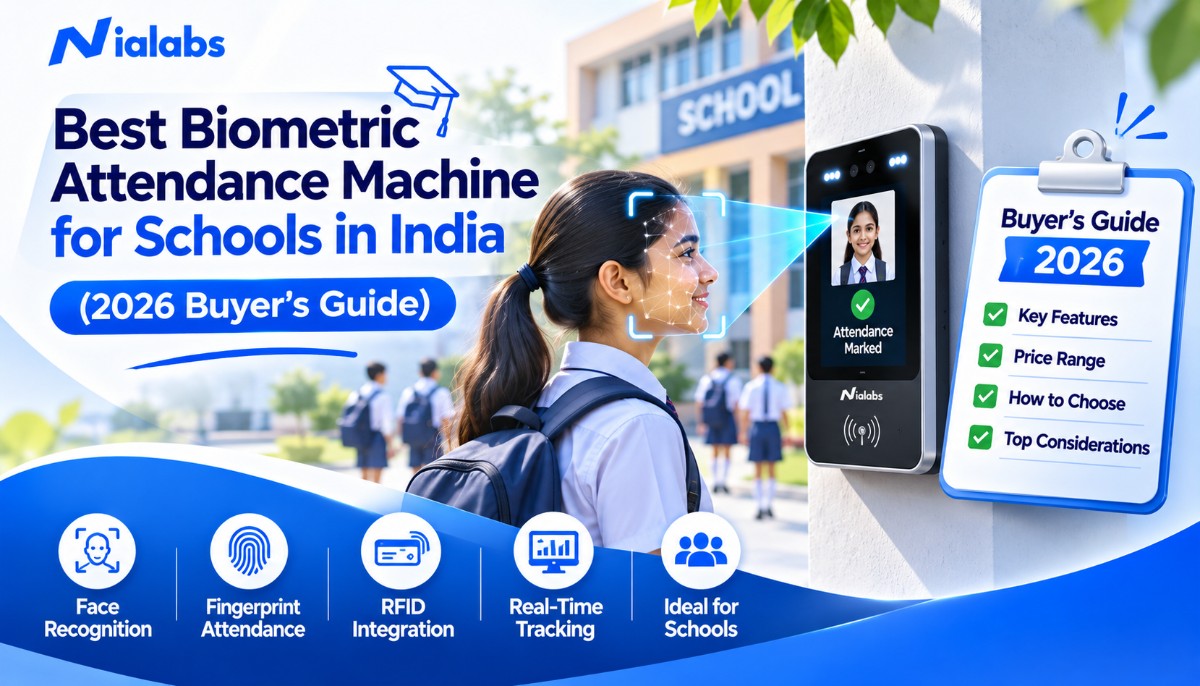
The best biometric attendance machine for a school in India is a face recognition terminal with AI liveness detection, a fingerprint or RFID fallback, offline storage that syncs when the internet returns and direct integration with the school ERP for parent alerts. For most Indian school gates, a dual-mode face and fingerprint terminal gives the best mix of speed, accuracy and fallback.
Key Takeaways
-
Face recognition is the default choice for students: contactless, under 0.2 seconds per person and less affected by small fingerprints in primary classes.
-
Offline storage is not optional. UDISE+ 2024-25 data shows roughly 36% of Indian schools (over 5.3 lakh) report no internet facility.
-
Look for liveness detection, mask support, at least 5,000 face capacity, 4G or Wi-Fi sync and an API for ERP and parent alerts.
-
Student biometrics are children's personal data under the DPDP Act 2023, so notice, purpose limits and secure storage matter from day one.
-
Plan beyond the gate: buses, hostels, staff rooms and visitor desks all need connected attendance or entry records.
What is a Biometric Attendance Machine for Schools?
A biometric attendance machine for schools is a wall-mounted or gate-mounted terminal that identifies each student or staff member by a physical trait, usually the face or fingerprint, and records the time of entry automatically. The record syncs to attendance software or the school ERP, which builds class registers, late lists and absence reports without a manual roll call.
School terminals differ from office devices in three ways. They must enrol thousands of children whose faces change as they grow, handle a burst of several hundred entries in the 15 to 20 minutes before assembly and protect children's data under stricter privacy rules.
Why Indian Schools Are Moving Away From Manual Roll Calls
India runs the largest school system in the world. According to UDISE+ 2024-25, the country has 14.71 lakh schools and 24.69 crore students, and almost every one of those classrooms still loses teaching minutes to the paper register every day.
The time cost is real. A roll call for a class of 40 takes about 5 minutes. If a school marks attendance twice a day across 220 working days, that is roughly 36 hours of lost teaching time per class every year (illustrative Nialabs estimate). A biometric terminal at the gate removes that cost entirely.
Proxy attendance disappears. Friends answering "present" for each other is impossible when the record depends on a live face or fingerprint. Liveness detection also blocks printed photos and phone videos held up to the camera.
Parents get certainty. When attendance syncs in real time, the school can alert a parent within minutes if a child has not reached the gate. That one feature drives most of the measurable gains in student safety and parent trust, because the schol and the family see the same record at the same time.
Reports are ready on demand. Monthly attendance percentages, defaulter lists for board exam eligibility and staff punctuality reports come out of the system in one click instead of being tallied by hand. This also supports the push for digital record keeping under NEP 2020.
Face vs Fingerprint vs RFID: Which Works Best in Schools?
Each method has a place on a school campus. The table below compares them on the factors school administrators ask about most.
|
Factor |
Face recognition |
Fingerprint |
RFID card |
|---|---|---|---|
|
Contact needed |
No |
Yes |
No (tap) |
|
Proxy risk |
Very low with liveness detection |
Low |
High, cards can be shared |
|
Speed per person |
Under 0.2 seconds on current terminals |
About 1 second (typical) |
About 1 second (typical) |
|
Young children (Classes 1 to 5) |
Works well |
Higher rejection with small or worn fingerprints |
Works, but cards get lost |
|
Hygiene at a busy gate |
Best |
Shared surface |
Good |
|
Best use in schools |
Main gate, classrooms, buses |
Staff room, senior students, fallback |
Library, canteen, backup ID |
Verdict: use face recognition as the primary mode for students, keep fingerprint or RFID as a fallback for edge cases, and give staff a dual-mode terminal so their punches feed payroll accurately.
9 Features to Look for in a School Biometric Attendance Machine
1. AI liveness detection and anti-spoofing
A dual-camera module (colour plus infrared) checks that a real person is standing in front of the terminal. This blocks printed photos, phone screens and video replays, the three most common proxy tricks in schools.
2. Mask and low-light performance
Morning assemblies start early in winter and many gates face direct sunlight. Wide dynamic range (WDR) cameras and mask-compatible algorithms keep recognition accurate in both conditions.
3. Recognition speed under 0.2 seconds
At 0.2 seconds per face, the bottleneck becomes how fast students walk, not how fast the machine thinks. Slower devices create queues that push students past the bell.
4. Enough user and log capacity
Look for at least 5,000 faces and 500,000 logs per terminal. Larger schools should pick a model that expands to 50,000 users so one platform covers every campus.
5. Offline mode with battery backup
With over 5.3 lakh Indian schools reporting no internet facility in UDISE+ 2024-25, the terminal must store punches locally and sync later. A built-in battery keeps the gate running during power cuts.
6. Wi-Fi, LAN and 4G connectivity
Wi-Fi or LAN suits urban campuses. Rural schools and new buildings without cabling need a 4G SIM option so attendance still reaches the cloud the same morning.
7. ERP and app integration through an API
The terminal should push punches to your school ERP, LMS or parent app automatically. Ask for API documentation before you buy, not after installation.
8. Real-time parent alerts
Present, late and absent notifications by app, SMS or WhatsApp are the feature parents value most. Confirm the alert trigger time and channel during the demo.
9. Data privacy controls
Encrypted templates, role-based admin access, audit logs and a clear deletion process are the minimum for handling children's biometric data in India.
Best Nialabs Biometric Attendance Machines for Schools (2026)
Nialabs builds the NiaFace range for Indian conditions: crowded gates, patchy internet, power cuts and large student databases. Here is how each model maps to a school use case.
|
Model |
Biometric modes |
Standout spec |
Best school use |
|---|---|---|---|
|
NiaFace A70 |
Face, fingerprint, RFID, QR |
5,000 faces (expandable to 50,000), 10,000 fingerprints (expandable to 100,000) |
Main gate and staff attendance |
|
NiaFace S50 |
Face, card, password |
99.70% accuracy, optional built-in battery |
High-traffic entry, staff room |
|
NiaFace A90 |
Face |
Enhanced WDR for difficult lighting |
Sun-facing gates, early winter mornings |
|
NiaFace A80 |
Face |
4G SIM, no Wi-Fi needed |
Rural campuses and branch schools |
|
NiaFace A100 |
Face, QR, RFID |
Built-in GPS and 4G |
School buses |
Our top pick for most schools is the NiaFace A70 face and fingerprint terminal. Students walk through on face recognition while staff can use either mode, and the dual-camera setup (2 MP WDR colour plus 2 MP infrared) blocks photo and video spoofing. It stores 500,000 logs, works from -15°C to 45°C and connects over TCP/IP, RS485, USB and Wi-Fi, which covers almost every Indian campus from Jaipur to Kochi.
Recognition happens in under 0.2 seconds at 0.5 to 2.5 metres, with masks supported, so a single lane can clear a long morning queue quickly. Cloud-based management lets the admin office add new admissions, deactivate passed-out students and pull reports for every branch from one dashboard, which matters for school groups running several campuses under one trust. For schools that want a second, face-first unit at a staff entrance or a busy side gate, the NiaFace S50 is a strong partner.
The S50 offers 99.70% recognition accuracy, a 4.3-inch touch screen, mask-compatible recognition and an optional built-in battery that keeps the terminal punching through power cuts. It also stores 500,000 logs, so a week without internet does not lose a single record.
Where Biometric Attendance Fits on a School Campus
The gate is only the starting point. Schools that see the biggest gains connect every point where a child enters, leaves or changes hands during the day.
Main gate and classrooms. Gate terminals mark the day's arrival. Some schools add a classroom or lab terminal to record period-wise attendance for senior classes, which helps with board exam eligibility checks and coaching-style batch tracking.
Staff room. A separate staff terminal keeps teachers out of the student queue and sends clean in and out times to HR and payroll, including half-days and late marks.
School buses. The journey to and from school is where parents worry most. A school bus attendance system records each child boarding and leaving the bus with face recognition, tags the GPS location and notifies parents in real time. The NiaFace A100 terminal runs on 4G, so it keeps working on routes that pass through low-coverage areas.
Transport managers also get trip details and live bus locations on the same dashboard, which shortens the daily round of calls from anxious parents. Drivers and attendants also stop maintaining paper boarding lists, and the school gets a clean, time-stamped record of every child on every route if a question ever comes up later.
Hostels. Residential and boarding schools need to know who is inside after lights out. A hostel management system connected to biometric terminals shows live inside and outside status for every resident, flags late returns and handles leave requests and visitor passes that wardens approve from a mobile app.
The same platform manages rooms, beds, fee dues and occupancy reports, so the hostel office does not run a second register in parallel with the main school. Because hostel punches and day-school attendance sit on one platform, the principal sees a single, accurate view of every boarder across classes, meals and night check-in.
Visitors and parent pickups. Every adult who enters a school should be known, approved and logged. A visitor management system issues a one-time QR pass for each parent, vendor or contractor, lets guards scan it at the gate and shows on a live dashboard who is on campus and for how long.
How a Biometric Attendance Machine Works During a School Day
-
Enrolment: the school captures each student's face (and fingerprint, if used) once, at admission or at the start of the session.
-
Morning entry: the student looks at the gate terminal, liveness is checked and the arrival time is stored in under a second.
-
Sync: punches upload to the cloud and the school ERP over Wi-Fi, LAN or 4G. If the internet is down, they wait on the device and upload later.
-
Alerts: at a cut-off time set by the school, the system flags absent and late students and notifies parents and class teachers.
-
Staff punches: teachers check in on the staff terminal, and the data flows to HRMS or payroll with shift rules applied.
-
Reports: the admin office downloads daily, monthly and term-wise attendance in one click.
Behind step 2, the terminal converts the face into a mathematical template and compares it with stored templates rather than saving a photo for every punch. If you want the technical detail, this guide explains how biometric matching works step by step, including templates, matching thresholds and false rejection rates.
Is Student Biometric Attendance Legal? DPDP Act 2023 Checklist
Yes, biometric attendance is legal in Indian schools, but student biometrics count as children's personal data. The Digital Personal Data Protection Act 2023 defines a child as anyone under 18, and the DPDP Rules notified by MeitY in November 2025 set out how organisations must handle that data. The Rules include a limited exemption for educational institutions where processing serves educational activities or child safety, but that exemption does not remove the duty to keep data secure.
Before you switch on the terminals, make sure the school can tick every item below:
-
A written notice to parents explaining what data is collected, why and for how long.
-
Use limited to attendance, safety and related reporting, not marketing or profiling.
-
Encrypted templates and role-based access for admin users.
-
A deletion process for students who leave or pass out.
-
A named contact person for parent queries and data requests.
-
A breach response plan, since affected people and the Data Protection Board must be informed.
For a clause-by-clause walkthrough written for principals and administrators, read our DPDP Act compliance guide for schools. This section is general information, not legal advice, so confirm your consent approach with a lawyer.
How to Choose and Roll Out a School Biometric Attendance Machine: 6 Steps
-
Count your entry points. List every gate, staff entrance, bus route and hostel block, then note peak entry numbers for each.
-
Pick the biometric mode. Face recognition for students, dual-mode for staff, 4G for sites without Wi-Fi and GPS terminals for buses.
-
Check integration. Ask for API documentation and confirm the terminal can push data to your ERP and parent app.
-
Run a pilot. Start with one gate and two or three classes for two weeks, and measure queue time and recognition rate.
-
Enrol in batches. Enrol class by class with parent notice in place, and re-enrol primary students every year as faces change.
-
Train and review. Train guards and admin staff, then review attendance accuracy and alert timing after the first month.
How Much Does a Biometric Attendance Machine for a School Cost in India?
There is no single price because school projects vary widely. The main cost drivers are the biometric mode (face plus fingerprint costs more than fingerprint only), the number of gates and terminals, connectivity (4G and GPS devices cost more), installation and cabling, software licences and the depth of ERP integration.
A small school with one gate needs a very different setup from a group of five campuses with buses and hostels. Nialabs prices school projects on a quote basis after a short requirement check, so you pay only for the gates and features you actually use.
Why Schools Choose Nialabs
Nialabs designs AI biometric attendance and access control for Indian institutions, so the hardware, software and support are built around local realities: power cuts, mixed connectivity, large enrolments and DPDP compliance. Schools get one platform that covers the gate, classrooms, staff, buses, hostels and visitors instead of five disconnected tools.
-
NiaFace terminals with AI liveness detection, mask support and sub-0.2 second recognition.
-
Offline storage of up to 500,000 logs per terminal, plus 4G options for schools without Wi-Fi.
-
Published developer documentation for syncing users and punch logs with ERP and payroll software.
-
India-based installation and support teams, with demos available for schools across the country.
Conclusion
The right biometric attendance machine turns attendance from a daily chore into a safety system. Choose face recognition with liveness detection for students, keep a fingerprint or RFID fallback, insist on offline storage and ERP integration, and put DPDP safeguards in place before enrolment. Then extend the same platform to buses, hostels and visitors so every movement on campus is on one record.
Planning biometric attendance for your school? Share your student strength, number of gates and buses, and the Nialabs team will recommend the right NiaFace setup.
Frequently Asked Questions
1. Which is the best biometric attendance machine for schools in India?
The best choice is a face recognition terminal with liveness detection, a fingerprint or RFID fallback, offline storage and ERP integration. The NiaFace A70 suits most Indian school gates.
2. Is face recognition or fingerprint attendance better for school students?
Face recognition is better for students because it is contactless and works in under 0.2 seconds. Fingerprint works best as a fallback for staff and older students.
3. Can a school biometric attendance machine send absence alerts to parents?
Yes, once punches sync to the school ERP or parent app, parents get present, late or absent alerts by app, SMS or WhatsApp. Confirm the alert channel and timing during the demo.
4. Does a biometric attendance machine work without internet in schools?
Yes, school terminals store punches offline and sync when the internet returns, with up to 500,000 logs on the NiaFace A70 and S50. For campuses without Wi-Fi, the 4G NiaFace A80 is the better fit.
5. Is biometric attendance of students legal under the DPDP Act 2023?
Yes, if the school gives clear notice, limits use to attendance and safety, and keeps the data secure. The DPDP Act treats anyone under 18 as a child, so take legal advice on consent.
6. How many students can one biometric attendance machine handle?
The NiaFace A70 stores 5,000 faces as standard and expands to 50,000. The real limit is morning gate traffic, so plan terminals per entry lane, not per student count.
7. How much does a biometric attendance machine for a school cost in India?
Cost depends on the biometric mode, number of gates, 4G or Wi-Fi connectivity, installation and ERP integration. Nialabs prices school projects on quote after a short requirement check.
8. Can the attendance machine integrate with our school ERP?
Yes, choose a terminal with an API or webhook so punches reach your ERP in real time. Nialabs publishes developer documentation for user sync and punch-log callbacks.
9. Can the same machine record both student and staff attendance?
Yes, one terminal can enrol students and staff in separate groups, with staff punches flowing to HRMS or payroll. Many schools still add a separate staff room terminal to avoid gate queues.
10. Can biometric attendance be used on school buses and in hostels?
Yes, bus terminals like the NiaFace A100 record boarding with GPS and alert parents. Hostel terminals track in and out status so wardens know who is inside at any time.