
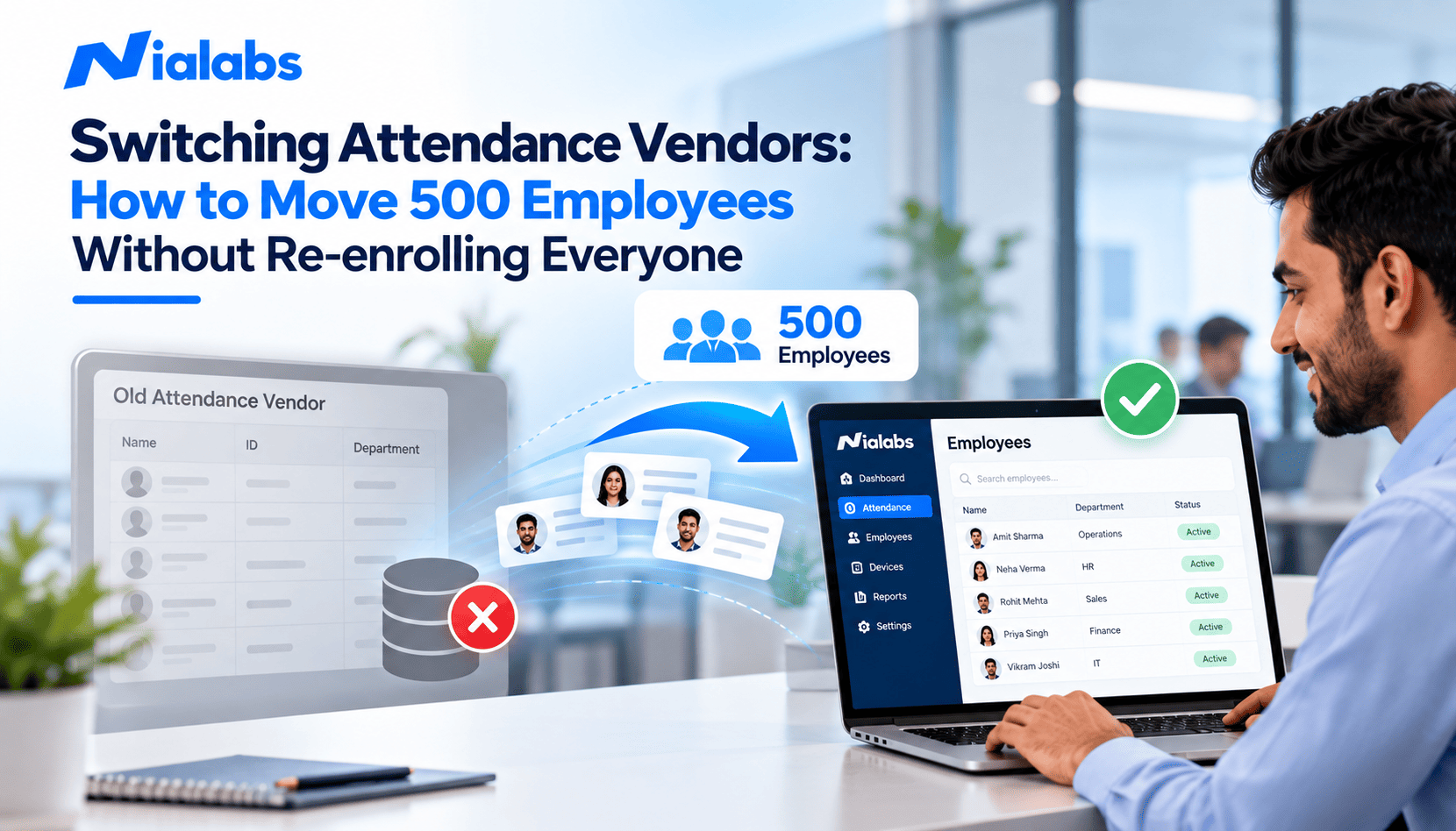
You can switch attendance vendors without re-enrolling most of your workforce. Employee records, attendance history and RFID cards almost always migrate. Biometric templates are the exception: fingerprint and face templates are usually locked to the old vendor's algorithm and transfer only when both systems share the same format. The fix is a staged migration: export structured data, keep employee IDs identical, test template or photo import on a pilot group, and re-enrol only the employees whose biometrics cannot be migrated.
For an HR or admin team running 500 employees on an ageing attendance system, the biggest fear about changing vendors is simple: will everyone have to queue up and register again? The honest answer depends on three things: what your current system can export, how it stores biometric data, and what your new system can import. This guide explains each one and gives you a step-by-step plan to migrate your attendance system while keeping daily attendance and payroll running.
Key Takeaways
• Most data is portable. You can export employee master data, attendance history, shift details, and RFID card numbers as CSV or Excel and import them into a new Biometric attendance system
• Biometric templates are the hard part. A template is a vendor-specific mathematical file, not a photo or fingerprint image, so two brands rarely read each other's templates.
• Enrolment photos are the shortcut for face recognition. If clear enrolment photos can be exported, a new face system can often build new templates without employees re-registering.
• Employee IDs must not change. Identical IDs are what link old punches, cards and payroll records to the right person.
• Pilot first, then parallel-run one payroll cycle. A 4- to 5-week plan is typical for 500 employees.
What Data Can Be Migrated When You Switch Attendance Vendors?
Not all attendance data behaves the same way. Use this table to see what will move cleanly and what needs testing.
|
Data type |
Can it migrate? |
What to check |
|
Employee master data (ID, name, department, designation, location, shift) |
Yes |
Export as CSV or Excel; remove duplicates and exited staff first |
|
Attendance history (punches, late marks, overtime, absences) |
Yes |
Structured export for import or archive; PDF reports are not usable data |
|
Shift, leave and overtime rules |
Partly |
Usually reconfigured in the new system, then verified against payroll |
|
RFID or proximity cards |
Usually yes |
New readers must support the same card frequency and format |
|
PINs and passwords |
Often |
Only if the old system exports them |
|
Fingerprint templates |
Sometimes |
Same hardware platform or a shared standard format; test match accuracy |
|
Face templates |
Rarely |
Ask for enrolment photos instead of templates |
Employee information
Employee ID, name, department, designation, location, contact details and shift assignment move easily as a spreadsheet. Clean this file before export: merge duplicate records, close exited employees and fix blank IDs, because every error here multiplies later.
Attendance history
Past punches, late arrivals, early departures, overtime and absence records may be needed for payroll disputes, audits and statutory registers. Export them in a structured format and store a secure archive copy even if you also import them into the new system.
Biometric enrolment data
This is where most migrations stall. Fingerprint and face systems do not store your employees' fingerprints or faces as images for matching. They store a biometric template, which is explained in the next section.
Why Biometric Templates Rarely Move Between Vendors
A biometric template is a compact mathematical representation of a fingerprint or face, created by the vendor's own algorithm during enrolment. Two vendors that both offer face recognition are not compatible just because they use the same biometric. Each vendor's AI model measures a face differently, so a template built by one model is meaningless to another. This is why biometric template migration fails far more often than employee data migration.
Fingerprint templates have a better chance. Standard minutiae formats such as ISO/IEC 19794-2 and ANSI INCITS 378 exist, and devices built on the same hardware platform often share a format. Even then, matching accuracy can fall when one algorithm reads another algorithm's template, which shows up as a higher false rejection rate at the gate. Always test before you trust it.
RFID cards are the easiest credential to carry over. The card number lives on the card itself, so if the new readers support the same frequency, such as 125 kHz EM or 13.56 MHz MIFARE, employees keep using their existing RFID cards from day one.
Three Ways to Avoid Re-enrolling 500 Employees
|
Path |
When it works |
Employee effort |
|
1. Direct template import |
Old and new devices share a fingerprint template format |
None, after pilot validation |
|
2. Re-enrol from enrolment photos |
Old system can export clear, front-facing enrolment photos for face recognition |
None for most staff; only failed photos are re-captured |
|
3. Scheduled re-enrolment drive |
Templates and photos cannot be exported, or you are changing biometric type |
Under a minute per face enrolment, in department slots |
Most organisations end up with a mix: cards and records migrate directly, most faces are created from photos, and a small group re-enrols in person. The goal is not zero re-enrolment; it is zero disruption to daily attendance.
How to Migrate 500 Employees: A 7-Step Attendance System Migration Plan
Step 1: Audit your existing attendance system
Document the current setup so the new vendor can plan accurately:
• Total employees and active employee IDs
• Device brands, models and firmware versions at each location
• Biometric type in use (fingerprint, face or both) and RFID card type
• Shift, overtime and leave rules
• HR, payroll or ERP software that receives attendance data
Step 2: Request a complete structured data export
Before you give notice to your current supplier, ask in writing what it can export and in which format. Request:
• Employee master data
• Attendance records for the period your payroll and audit policy requires
• Shift and leave configuration
• Card numbers mapped to employee IDs
• Biometric templates and enrolment photos, if supported
Insist on CSV, Excel or database exports. PDF reports look complete but cannot be imported.
Step 3: Test biometric compatibility on a small sample
Share the old device model, biometric type and template format (if known) with the new vendor, then test a sample of 10 to 20 employees. Check whether imported templates or photos produce reliable matches on the new terminals in real conditions, including your actual entrance lighting.
Step 4: Keep employee IDs identical
Employee ID mapping is the single most important migration rule. If employee 1045 exists in the old system, keep 1045 in the new one. A changed or mismatched ID sends punches to the wrong person, breaks card mapping and creates payroll errors that are hard to trace later.
Step 5: Run a pilot at one site or department
Never migrate all 500 employees at once. Pick one location or department of 30 to 50 people and test employee import, recognition, punches, shift assignment, reports and the API connection to your HR or payroll software. Also test what happens during a network outage; punches should be stored locally and uploaded automatically, the problem we cover in our guide to attendance machines not syncing after a power cut.
Step 6: Parallel-run and verify for one payroll cycle
Keep the old system running alongside the new one for the pilot group and compare both outputs: who was present, punch times, shift mapping, late marks, overtime and final attendance totals. Move forward only when the numbers match for a full payroll cycle.
Step 7: Complete the rollout and close the old system
Roll out site by site or department by department: import records, push cards and compatible biometric data to the new devices, schedule re-enrolment slots for anyone left, assign locations and shifts, and switch on integrations. For organisations with several branches, follow the same sequence used in a multi-location attendance rollout. Archive the old data securely, then get written confirmation that the old vendor has deleted employee biometric data.
Typical timeline for 500 employees
|
Week |
Activity |
|
Week 1 |
Audit, data export, ID clean-up, compatibility test |
|
Week 2 |
Pilot site or department goes live |
|
Weeks 3 to 4 |
Parallel run across one payroll cycle |
|
Week 5 |
Full rollout, remaining re-enrolment, old system closed |
When Will Employees Need to Re-enrol?
Plan for biometric enrolment for some or all employees when:
• The old vendor cannot or will not export templates or enrolment photos
• Templates are in a proprietary format the new system cannot read
• Imported templates fail the pilot accuracy test
• Exported photos are low quality, side-on or outdated
• You are changing biometric type, for example moving from fingerprint to face recognition
Even then, re-enrolment does not have to be painful. A face enrolment takes under a minute per person, so with several devices and department-wise time slots, 500 employees can typically be enrolled in one to two working days without stopping attendance.
Biometric Data Protection During Migration
Moving biometric data is processing personal data, so treat it with the same care as payroll data. Under India's DPDP Act 2023, organisations should tell employees why their data is being transferred, rely on valid consent management where required, transfer files only over encrypted channels (never as email attachments), limit access to the migration team and obtain deletion confirmation from the outgoing vendor. Our DPDP Act 2023 guide for biometric attendance covers these obligations in detail. This section is general guidance, not legal advice.
Questions to Ask Before Changing Attendance Vendors
1. Can you import our employee master data and keep our existing employee IDs?
2. Can you import or archive our historical attendance records?
3. Can your readers use our existing RFID cards?
4. Can you import our fingerprint templates, and in which formats?
5. Can you create face templates from our existing enrolment photos?
6. Will you run a pilot at one site before full rollout?
7. Does your system connect to our HR, payroll or ERP software through a ready integration or API?
8. How are biometric data stored, encrypted and deleted?
9. What on-site support do you provide during rollout?
How Nialabs Handles Attendance Migration
Nialabs manufactures its own NiaFace terminals and builds the cloud software they run on, so migration is handled by one team rather than split between a device dealer and a software provider. Employee records, card numbers and compatible credentials can be pushed to devices through the Nialabs Management API, which is described in the Nialabs API documentation.
Migrations follow the pilot-first approach in this guide: one site or department goes live, attendance is parallel-run against your old system, and the rest of the organisation moves only when the numbers match. Once live, punches flow into the Nialabs cloud attendance platform and on to Nialabs HRMS and payroll software or your existing payroll tool. Explore the NiaFace terminal range to see which models fit each of your sites.
Frequently Asked Questions
Do employees need to re-enrol when switching attendance vendors?
Not always. Employee records, attendance history and RFID cards can almost always be moved to a new attendance vendor without involving employees. Biometric data is the exception: fingerprint and face templates are usually specific to the old vendor's algorithm, so they transfer only when both systems use the same template format. If templates cannot be imported, re-enrolling from stored enrolment photos or a short scheduled enrolment drive avoids disrupting daily attendance.
Can fingerprint templates be transferred from one biometric machine brand to another?
Sometimes. Fingerprint templates can be transferred only when the old and new devices store them in the same format, either because both use the same hardware platform or because both support a standard minutiae format such as ISO/IEC 19794-2 or ANSI INCITS 378. Even then, accuracy can drop when templates created by one algorithm are matched by another, so always test a pilot group before migrating everyone.
Can face recognition data be migrated to a new attendance system?
Face templates rarely transfer between vendors because each vendor's AI model creates its own mathematical representation of a face. However, many systems store the enrolment photo alongside the template. If your old vendor can export clear, front-facing enrolment photos and you have the legal basis to reuse them, the new system can often create fresh face templates from those photos without employees standing in front of a device.
Can old attendance records be migrated to a new system?
Yes. Historical attendance punches, late marks, overtime and leave records can usually be exported as CSV or Excel files and either imported into the new system or archived for payroll, audit and statutory records. Ask for structured exports, not PDF reports, and keep employee IDs identical so every old record maps to the right person. Can we reuse our existing RFID cards with a new attendance system?
Usually, yes. Existing RFID or proximity cards keep working if the new readers support the same card frequency and format, for example, 125 kHz EM cards or 13.56 MHz MIFARE cards. Export the card number linked to each employee ID from the old system and import it into the new one, and employees can keep using the same cards from day one.
How long does it take to migrate 500 employees to a new attendance system?
A planned migration for about 500 employees typically takes four to five weeks: one week to audit and export data, one week for a pilot at one site or department, two weeks of parallel running so one full payroll cycle can be compared, and a final week for full rollout. If biometric re-enrolment is needed, it can usually be completed in one to two working days with scheduled department slots across several devices.
Conclusion
Switching attendance vendors does not mean re-enrolling 500 employees from scratch. Employee records, attendance history and RFID cards migrate with careful exports and identical employee IDs. Biometric templates are the real constraint, and the answer is to test template or photo import on a pilot group, parallel-run one payroll cycle and re-enrol only the employees who need it. Planned this way, your teams keep punching in as usual while the new system takes over in the background.