
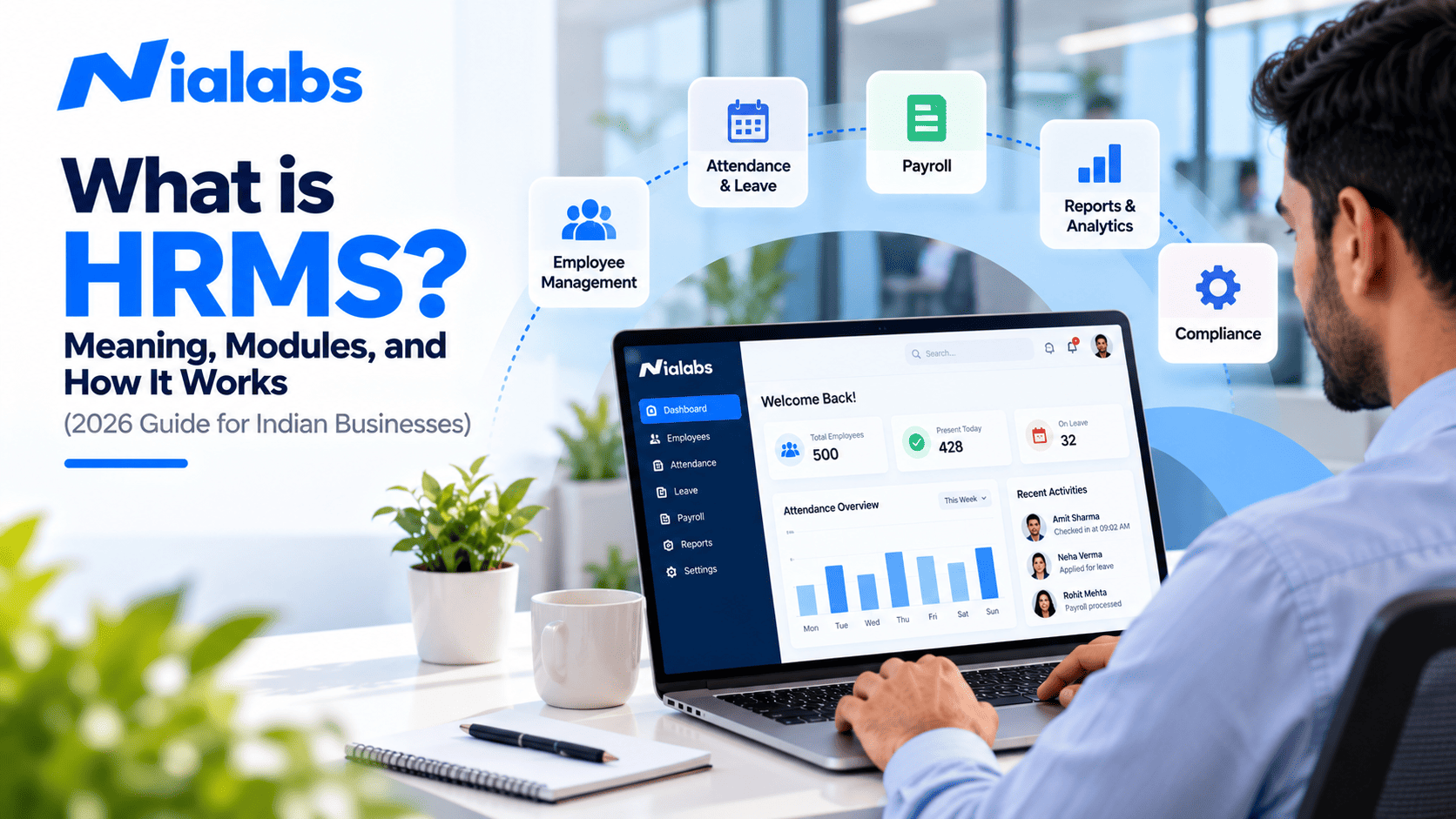
HRMS stands for Human Resource Management System. It is software that keeps every employee's records, attendance, leave, payroll, and statutory compliance (PF, ESI, Professional Tax, and TDS) in one system, so HR works from a single source of truth instead of spreadsheets. Attendance flows in from biometric devices or mobile apps, the HRMS applies shift and leave rules, and payroll is calculated automatically at month-end.
Many Indian businesses still run HR across a patchwork of tools: an Excel employee list, a standalone biometric machine, leave requests on WhatsApp and a payroll consultant who receives a spreadsheet every month. It works at 20 employees. At 200 employees across three locations, it breaks: attendance doesn't match payroll, leave balances drift, and statutory filings become a monthly scramble. An HRMS fixes this by putting all employee data and workflows on one platform. This guide explains what an HRMS is, what it includes, how it works and what to check before you buy.
Key Takeaways
• HRMS = Human Resource Management System: one platform for employee records, attendance, leave, payroll and compliance.
• Payroll is only as accurate as attendance. Most payroll errors start with bad punch data, not bad salary formulas.
• HRIS stores data, HRMS runs processes, HCM adds talent strategy. Most growing Indian businesses need an HRMS.
• India's four Labour Codes took effect on 21 November 2025, changing how wages are defined for PF and gratuity, so payroll rules need updating.
• Biometric data is personal data under the DPDP Act 2023, so your HRMS and attendance devices need consent, access control and retention rules.
What Is HRMS? (Meaning and Full Form)
HRMS is the full form of Human Resource Management System. In simple terms, it is a central employee database with HR workflows built around it. An employee's details are entered once, at hiring, and that single record then drives their attendance, leave, salary, deductions, payslips and exit. Because every module reads from the same record, HR teams stop re-typing data between tools, and managers and employees see the same numbers.
HRMS vs HRIS vs HCM
|
System |
What it covers |
Typical user |
|
HRIS (Human Resource Information System) |
Employee data: who works here, in which role, at what location |
Small teams needing a digital employee register |
|
HRMS (Human Resource Management System) |
HRIS plus attendance, leave, payroll, compliance and employee self-service |
Most growing Indian SMEs and mid-size companies |
|
HCM (Human Capital Management) |
HRMS plus recruitment, performance, learning, workforce planning and talent analytics |
Large enterprises |
Core Modules of an HRMS
Most HRMS products are modular: you start with the core and add modules as you grow.
|
Module |
What it does |
|
Core HR |
Employee master: personal details, department, designation, reporting line, UAN and ESIC numbers, documents |
|
Time and attendance |
Captures punches from biometric devices, face recognition, RFID cards, mobile or GPS apps, with shift management, late marks and overtime |
|
Leave management |
Leave policies, accruals, approvals and live balances |
|
Payroll |
Converts attendance and leave into gross pay, deductions, net pay and payslips |
|
Statutory compliance |
PF, ESI, Professional Tax, Labour Welfare Fund and TDS calculations, challans and returns |
|
Employee self-service |
Payslips, leave requests and attendance regularisation without going through HR |
|
Recruitment and onboarding |
Job postings, candidate tracking, offer letters and joining formalities |
|
Performance and learning |
Goals, reviews and training records |
|
Reports and analytics |
Attendance trends, attrition, payroll cost and compliance reports |
How Does an HRMS Work?
An HRMS works because every module shares the same employee record. A typical month looks like this:
1. Onboarding: HR creates the employee record with shift, salary structure, PF and ESI details.
2. Daily attendance: the employee punches in on a biometric or face recognition device, or a mobile app, and the punch reaches the HRMS.
3. Rule check: the HRMS matches each punch to the shift, flags late marks, half days and overtime, and applies approved leave.
4. Payroll run: at month-end, payroll pulls attendance, leave and overtime, applies the salary structure and calculates PF, ESI, Professional Tax and TDS.
5. Output: payslips go to employees through self-service, salary files go to the bank and statutory reports are generated.
Why Attendance Data Decides Payroll Accuracy
When businesses evaluate an HRMS, they usually focus on payroll features and overlook where the input data comes from. That is where most errors start: buddy punching, manual edits to punch logs, devices that fail to sync after a power cut and employee IDs that do not match between the device and the HRMS. A payroll engine cannot correct wrong attendance; it only multiplies it.
Biometric devices with liveness detection make attendance hard to fake, but the data still has to reach the HRMS reliably and on time. Read more on how biometric attendance improves payroll accuracy.
How to Connect Biometric Attendance with an HRMS
There are four common ways to link biometric devices with an HRMS, explained further in our glossary entry on HRMS integration:
|
Method |
How it works |
Best for |
|
API or webhook |
Each punch is pushed to the HRMS in real time |
Multi-location, shift-based and compliance-heavy workforces |
|
SDK |
The HRMS uses the device maker's software kit to read punches |
Custom in-house software |
|
Cloud sync |
Device and HRMS share data through the vendor's cloud |
Teams using the same vendor's device and software |
|
Scheduled file import |
Punch logs are exported and imported daily or weekly |
Small single-site teams |
Whichever method you use, keep employee IDs identical in the device and the HRMS. For a deeper look at real-time integration, see our guide to biometric API integration.
HRMS in India: Labour Codes and Data Protection
The four Labour Codes
India's four Labour Codes (the Code on Wages, the Industrial Relations Code, the Code on Social Security and the Occupational Safety, Health and Working Conditions Code) took effect on 21 November 2025, consolidating 29 central labour laws. The most important change for payroll is the uniform definition of wages under the Code on Wages: if excluded allowances exceed 50% of total remuneration, the excess is added back to wages. This directly affects PF, gratuity and other wage-linked calculations, so salary structures and payroll rules in your HRMS need to be reviewed. State rules are still being notified at different speeds, so confirm state-specific requirements with your compliance advisor.
The DPDP Act 2023
Under the Digital Personal Data Protection Act 2023, employee records and biometric templates are personal data. Choose an HRMS and attendance system that support clear notice to employees, purpose limitation, role-based access and defined retention and deletion. Our DPDP Act guide for biometric attendance covers what to ask your vendor. This section is general guidance, not legal advice.
How to Choose the Right HRMS
1. Map your workforce: headcount, locations, shifts, contract staff and states you operate in.
2. List statutory needs by state: PF, ESI, Professional Tax, Labour Welfare Fund and TDS.
3. Ask for an end-to-end demo: one new hire, one month of attendance with a late mark and overtime, and a final payslip.
4. Test attendance integration first: connect a real device, punch with real employee IDs and confirm the data reaches payroll correctly.
5. Get full pricing: per-employee fees, payroll and add-on modules, setup and device costs.
If you are comparing all-in-one platforms, our guide to all-in-one HR, payroll and attendance platforms explains the trade-offs.
How Nialabs Fits In
Nialabs builds both the attendance hardware and the HR software, so punches from NiaFace terminals flow straight into attendance and payroll without a third-party connector. The Nialabs attendance and payroll platform covers core HR, shifts, leave, payroll with PF, ESI, Professional Tax and TDS, and employee and HR mobile apps, with offline mode and auto-sync for sites with unreliable connectivity. If you already use another HRMS, the Nialabs punch-log API pushes attendance in real time. Explore the NiaFace device range to match devices to your sites.
Frequently Asked Questions
What is HRMS?
HRMS stands for Human Resource Management System. It is software that keeps employee records, attendance, leave, payroll and statutory compliance in one place.
What is the difference between HRMS and payroll software?
Payroll software only calculates salaries and deductions. An HRMS also manages employee records, attendance, leave and self-service, and feeds that data into payroll.
What is the difference between HRMS, HRIS and HCM?
HRIS stores employee data, HRMS adds attendance, leave, payroll and self-service, and HCM adds talent, workforce planning and analytics for large enterprises.
Is HRMS mandatory in India?
No law requires an HRMS. But it makes it much easier to keep the wage, attendance and statutory records that Indian labour laws require.
Can any biometric machine work with any HRMS?
No. The device must offer an API, SDK, cloud sync or a compatible export file. Test it with real employee IDs before buying.
How much does HRMS cost in India?
Most HRMS vendors in India charge per employee per month, with payroll and advanced modules priced separately. Ask for a full quote, including setup and devices.
Conclusion
An HRMS replaces scattered spreadsheets, registers and payroll files with one system for every employee. The best results come from three things: accurate attendance data at the source, payroll rules updated for the Labour Codes and DPDP-ready handling of employee data. Start with core HR, attendance and payroll, prove the attendance-to-payroll flow with real data, then add modules as you grow.