
Does Face Recognition Attendance Work in the Dark? Night Shift Reality Check
For any organisation that uses biometric attendance systems, there's a common problem with night shifts: can a face recognition attendance system work when the area is dim or completely dark?
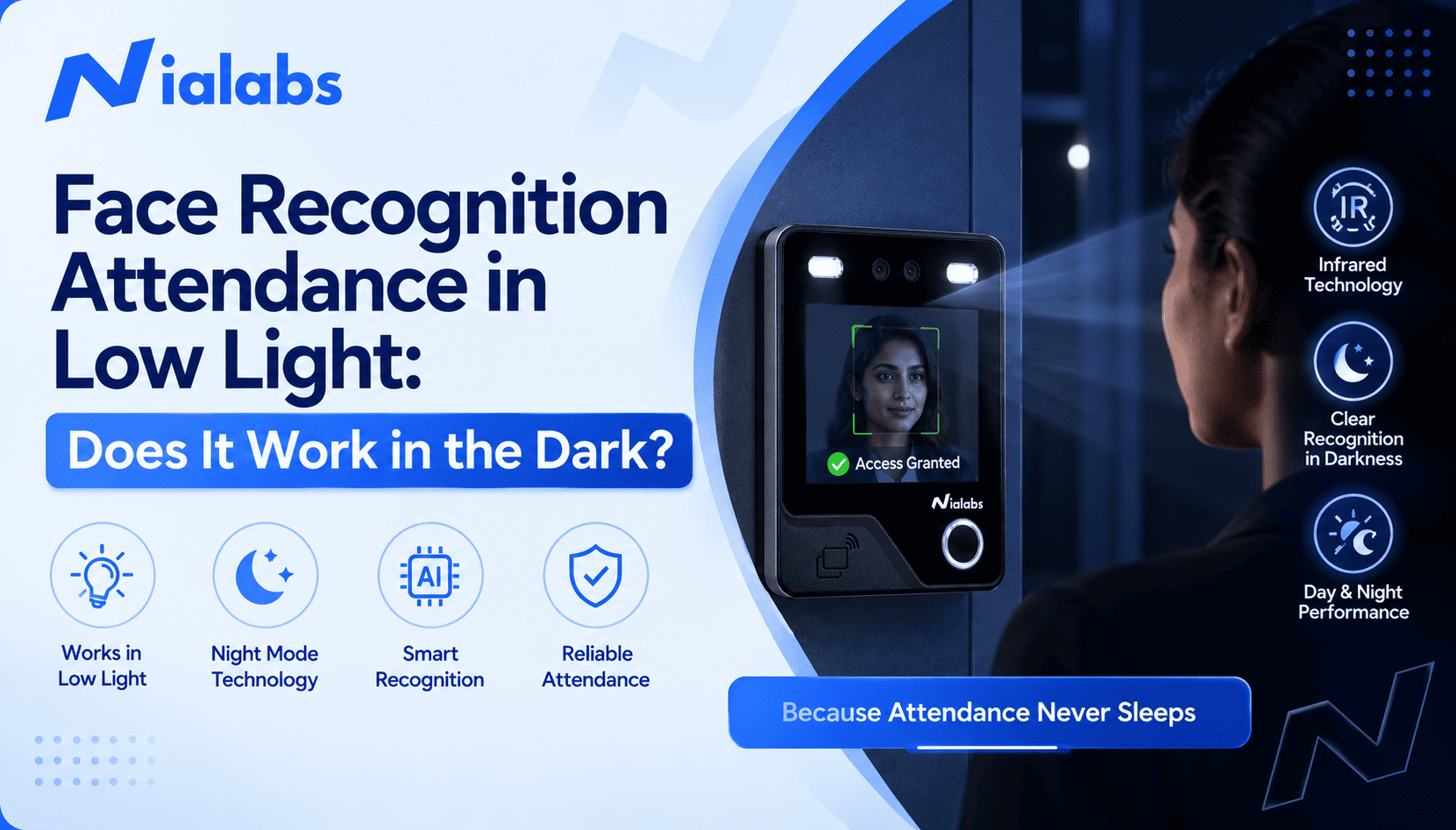
Yes, but it depends on the device's technology. Basic camera-based systems do not perform well in low light. AI-based face recognition attendance systems, on the other hand, use infrared cameras, infrared LEDs, WDR, and liveness detection to maintain their accuracy in low light.
This is one factor you should always check before buying a device for factories, warehouses, hospitals, offices, BPOs, or security teams that run 24/7.
Can Face Recognition Attendance Work in the Dark?
Yes, a face recognition attendance system can work in dark conditions, as long as the device's imaging and lighting hardware is built for low light.
A standard RGB camera relies on visible light. In a dark environment, it can't capture enough facial detail to verify a match. Infrared-equipped terminals overcome this by using an infrared camera and infrared lighting, so the device can extract facial features even with no visible light.
Working in the dark doesn't mean every system performs the same way. Results depend on camera quality, infrared specifications, recognition distance, and how the device is positioned relative to its surroundings.
Why Is Darkness a Problem for Face Recognition?
Face recognition algorithms need a clear, unobstructed image of a face. In low light, that image can suffer from:
● Faces that are too dark or blurred
● Intense shadows
● Backlight from doorways or headlights
● Uneven illumination across the face
● Glare from reflected artificial light
● Low light directly at the entrance
● Loss of facial detail overall
Any of these can hinder recognition. If your business runs a night shift, the low-light performance of a biometric attendance machine matters more than its daytime recognition speed.
How Does Face Recognition Work in Low Light?
Several technologies work together to keep recognition accurate after dark.
Infrared Camera
An infrared camera picks up facial data outside the visible light spectrum, which is what lets a device work in poorly lit environments. Nialabs' face recognition range uses paired RGB and infrared cameras, so the device can capture the face for verification and confirm it's a live person at the same time.
IR Illumination
Supplemental infrared fill lighting illuminates the facial region in low light so the camera can read it accurately. On most devices, this fill light triggers automatically as soon as ambient light drops.
WDR Technology
Wide dynamic range (WDR) imaging lets the camera handle a scene with both bright and dark areas at once, for example, an employee walking through a doorway with strong light behind them and a shadowed face in front.
AI Face Recognition
The algorithm matches facial features against enrolled profiles, keeping contactless entry fast even when lighting is inconsistent.
Liveness Detection
Low-light performance alone isn't enough for biometric security. Liveness detection confirms the system is reading a live person, not a printed photo or a video played on a screen. Nialabs devices pair liveness detection with infrared sensing specifically to close this gap, since a flat photo behaves differently under infrared than a real face does.
Can Facial Recognition Work in a Completely Dark Room?
It depends on the device. A standard visible-light camera can't function once light drops close to zero. A terminal built with an infrared camera and adequate IR illumination can.
Even on the right hardware, performance can still be affected by:
● Incorrect device positioning
● The employee standing outside the accepted recognition range
● An obscured face
● Excessive glare
● Wrong mounting height
● A dirty lens
● Extreme face angles
Because of this, test any biometric terminal at the actual entrance during an actual night shift before rolling it out across a site.
Which Industries Need Low-Light Face Recognition?
Manufacturing and Factories
Multi-shift and overnight operations need reliable staff authentication around the clock, and low-light performance at the gate is non-negotiable for a 24/7 line.
Warehouses and Logistics
Loading docks and staff entrances often have highly inconsistent lighting, so infrared solutions matter most exactly where general lighting is weakest.
Hospitals
Round-the-clock attendance tracking covers doctors, nurses, technicians, and administrative and security staff across every shift.
BPOs and Corporate Offices
Night-shift BPO, customer support, and global-team staff can rely on contactless face recognition attendance for night shifts without adding friction at shift change.
Security and Facility Management
Security and facility staff frequently work overnight. Biometric attendance tracks their shifts without paper registers, which also removes a common vector for proxy attendance on a shift nobody is supervising closely.
What to Look for in a Night Shift Attendance Machine
If your company runs 24/7, check for these before buying:
|
Feature |
Why it matters |
|
Infrared camera |
Captures low-light face recognition |
|
IR illumination |
Provides additional light for the sensor |
|
WDR |
Handles bright and dark areas in the same frame |
|
AI face recognition |
Enables automated facial matching |
|
Liveness detection |
Prevents spoofing with a photo or video |
|
Automatic fill light |
Improves visibility without manual switching |
|
Cloud connectivity |
Enables centralized monitoring across sites |
|
API integration |
Connects attendance data to HR, payroll, and ERP |
|
Offline storage |
Keeps recording attendance through a power outage |
Together, these features determine whether a biometric system actually holds up on a night shift, not just on a spec sheet.
Nialabs Face Recognition Attendance for 24/7 Workplaces
Nialabs builds AI-based biometric attendance and access control hardware designed for exactly this problem.
The NiaFace A90 is the closest match for a general low-light deployment: dual infrared cameras and WDR are built in specifically to keep recognition accurate in low light, sunlight, and other difficult conditions, and it supports up to 50,000 enrolled faces with 100,000 stored attendance records.
The NiaFace S50 combines facial recognition with infrared liveness detection, cloud attendance, and HR/ERP connectivity via API, a straightforward terminal-and-access-control option for a single-entry office or facility.
For sites that also need fingerprint as a fallback, the NiaFace A70 combines face and fingerprint verification with infrared WDR, automatic brightness control, and low-light acquisition.
For transportation applications, the NiaFace A100 is built for bus attendance rather than a fixed gate, pairing face recognition with cloud communication, offline attendance, and GPS tracking for organisations transporting students or staff.
The right device depends on your organization's setup: how many people use it daily, the identification distance and verification mode you need, and how it needs to connect into your existing systems.
How to Improve Face Recognition Accuracy at Night
Even the right hardware performs better with the right setup.
Right placement. Position the device so employees face the camera naturally at a comfortable distance.
Reduce backlight. Don't mount the device facing a bright doorway or light source.
Keep the lens clean. Dust and fingerprints on the lens degrade image quality, especially in already-low light.
Stay within the detection range. Confirm employees are consistently within the operating distance the device specifies.
Test on an actual night shift. Test performance at the time and location the device will actually run, not just during daytime setup.
Conclusion
A face recognition attendance system works in the dark when it's built with an infrared camera, IR illumination, WDR, and liveness detection. Any business running a night shift should treat low-light performance as a purchase requirement, not an afterthought, since these features are what keep unmanned, contactless attendance reliable regardless of lighting. Test the specific device at the specific site before committing to a rollout.
Frequently Asked Questions
Can I use facial recognition for my night shifts?
Yes. A device with infrared cameras and proper IR illumination is built for exactly this use case.
Does it work in total darkness?
Yes. A biometric system with infrared illumination can capture and recognize faces even with no visible light present.
What features do I need for a low-light environment?
Look for infrared cameras, WDR, AI face recognition, and liveness detection together, not any one feature on its own.
Can Nialabs biometric devices work in low light?
Yes. Nialabs devices such as the NiaFace A90 combine infrared cameras, WDR, automatic fill lighting, and liveness detection to maintain accuracy in low light.
Is face recognition better than fingerprint attendance for night shifts?
It depends on your environment. Face recognition offers fully contactless attendance, while Nialabs' multi-authentication devices let you combine face and fingerprint for added flexibility.