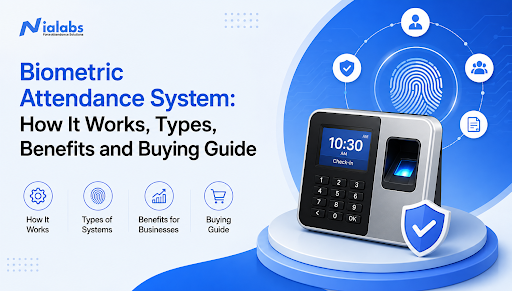
A biometric attendance system records a person’s attendance by verifying a unique physical characteristic, such as their face, fingerprint, iris, or palm pattern.
Instead of relying on an attendance register, PIN, swipe card, or manual entry, the system confirms who is present and records the date and time automatically. This helps schools and businesses reduce proxy attendance, automate reports, improve payroll accuracy, and manage attendance across one or more locations.
Modern biometric attendance systems can also connect with HRMS, payroll software, school ERP platforms, access control systems, mobile applications, and cloud dashboards.
Key takeaways
-
Biometric attendance verifies identity rather than relying on a card or password.
-
The system converts a face, fingerprint, or other biometric input into a digital template.
-
Attendance is recorded only when the live input matches an enrolled template.
-
Face recognition, fingerprint, iris, palm vein, and multimodal systems are the main options.
-
Cloud connectivity allows real-time reporting and multi-location management.
-
Offline-capable devices can continue recording attendance during internet interruptions.
-
Liveness detection helps prevent the use of photographs, videos, or artificial fingerprints.
-
The right system depends on the environment, workforce size, integration needs, privacy requirements, and support available.
What is a biometric attendance system?
A biometric attendance system is an automated time and attendance solution that identifies employees, students, visitors, or authorised users through their unique biological characteristics.
These characteristics may include:
-
Facial features
-
Fingerprint patterns
-
Iris patterns
-
Palm or palm-vein patterns
-
Voice characteristics
A biometric characteristic is more difficult to share than a password, ID card, or PIN. This allows the system to connect each attendance entry to the person who was physically present.
For example, an employee cannot hand their fingerprint to a colleague in the same way they could share an access card or reveal a PIN. Similarly, a face recognition system can verify that the person standing in front of the device matches the registered user.
The result is a more reliable attendance record containing information such as:
-
Employee or student identity
-
Check-in time
-
Check-out time
-
Device or entry point
-
Location, where enabled
-
Shift or timetable
-
Late arrival or early departure
-
Total working hours
-
Overtime
-
Attendance status
What is biometric attendance?
Biometric attendance is the process of recording a person’s presence after confirming their identity through a biological characteristic.
The term “biometric attendance” describes the method, while a “biometric attendance system” refers to the complete combination of devices, software, databases, dashboards, integrations, and reporting tools used to manage it.
A complete solution may include a biometric device at the entrance, attendance software in the cloud, an administrator dashboard, a mobile application, and an integration with payroll or school management software.
How does a biometric attendance system work?
A biometric attendance system works through six main stages: enrolment, biometric capture, template creation, matching, attendance logging, and data synchronisation.
Step 1: User enrolment
Every user must first be registered in the system.
During enrolment, a biometric device captures one or more biometric inputs. Depending on the system, the user may:
-
Place a finger on a fingerprint sensor
-
Look into a face recognition camera
-
Position their eye near an iris scanner
-
Hold their hand near a palm-vein reader
The system analyses the captured input and identifies measurable characteristics.
For a fingerprint, this may include ridge endings and branching points. For facial recognition, the system may analyse the relative position and shape of facial features.
Step 2: Biometric template creation
The captured characteristics are converted into a mathematical representation known as a biometric template.
A biometric template is not meant to function like an ordinary photograph. It represents selected measurements and patterns that the matching algorithm can use during future authentication attempts.
The template is connected to the user’s profile, which may include:
-
Name
-
Employee or student ID
-
Department or class
-
Location
-
Shift
-
Access permissions
-
Reporting manager
-
Payroll or ERP identification number
The way templates are stored differs by product. They may be stored on the device, on an organisation’s local server, in a cloud platform, or in a combination of these environments.
Step 3: Live biometric capture
When the user arrives, the device captures a fresh biometric input.
For example:
-
A fingerprint scanner reads the finger placed on its sensor.
-
A facial recognition terminal detects the user standing in front of its camera.
-
An iris scanner captures the visible iris pattern.
-
A palm reader scans the user’s hand or vein structure.
A well-designed system should complete this process quickly enough to prevent queues during busy check-in periods.
Step 4: Identity matching
The software converts the live biometric input into a template and compares it with the stored records.
Two matching methods are commonly used:
One-to-one verification
In one-to-one or 1:1 verification, the user first provides an identity, such as an employee ID or card. The system then checks whether the biometric input matches the template connected to that identity.
The system is effectively asking:
“Is this person who they claim to be?”
One-to-many identification
In one-to-many or 1:N identification, the user does not need to enter an identity first. The system compares the live biometric input against multiple stored templates to determine who the person is.
The system is asking:
“Who is this person?”
Face recognition attendance systems commonly use identification because users can stand in front of the device without entering a separate ID.
Step 5: Attendance logging
When the match meets the system’s acceptance threshold, an attendance event is created.
The record may include:
-
User ID
-
Date
-
Exact time
-
Check-in or check-out status
-
Device ID
-
Location
-
Authentication method
-
Shift information
-
Verification result
The software can then apply attendance rules. For example, it may mark the user as present, late, on time, working overtime, leaving early, or attending an assigned shift.
Step 6: Data synchronisation and reporting
The attendance record is sent to the connected software platform.
A cloud-based biometric attendance system may update the central dashboard in real time. If the device temporarily loses internet access, an offline-capable system can save records locally and synchronise them when connectivity returns.
The data can then be used to generate:
-
Daily attendance reports
-
Monthly attendance summaries
-
Late arrival reports
-
Absence reports
-
Shift reports
-
Overtime calculations
-
Working-hour summaries
-
Payroll inputs
-
Student attendance notifications
-
Access and entry logs
What are the main components of a biometric attendance system?
A complete system normally contains the following components.
1. Biometric capture device
The device captures the user’s fingerprint, face, iris, or another biometric characteristic.
It may be installed at:
-
Office entrances
-
Factory gates
-
School reception areas
-
Classrooms
-
Hospital entry points
-
Restricted rooms
-
Turnstiles
-
School buses
-
Warehouses
-
Branch locations
2. Sensor or camera
The sensor collects the biometric input.
Its quality can affect recognition performance. A face recognition system, for example, needs a camera and recognition engine capable of handling real-world lighting, movement, different angles, glasses, masks, and changes in appearance.
3. Processing and matching engine
The matching engine extracts features from the live input and compares them with stored templates.
Modern systems may use artificial intelligence to improve matching, detect unusual attempts, and handle variations in the captured input.
4. Attendance management software
The software applies attendance policies and converts authentication events into useful records.
It may support:
-
Shift management
-
Leave management
-
Overtime rules
-
Grace periods
-
Weekly offs
-
Holidays
-
Attendance regularisation
-
Approval workflows
-
Department-level reporting
-
Multi-branch dashboards
5. Biometric database
The database stores biometric templates, user profiles, attendance logs, device details, and system configurations.
Organisations should understand where the information is stored, who can access it, how long it is retained, and how it is protected.
6. Integration layer
An API or another integration method transfers attendance data to systems such as:
-
Payroll software
-
HRMS platforms
-
School ERP software
-
Enterprise resource planning systems
-
Leave management software
-
Access control platforms
-
Visitor management software
-
Mobile applications
7. Administrator dashboard
The dashboard allows authorised users to monitor attendance, view exceptions, manage devices, enrol users, download reports, and configure rules.
For a multi-location organisation, the dashboard should provide both central visibility and location-level access controls.
Types of biometric attendance systems
Different biometric methods perform better in different environments. There is no single method that is ideal for every organisation.
|
Biometric method |
How it works |
Best suited for |
Key consideration |
|
Fingerprint recognition |
Matches fingerprint ridge patterns |
Small offices, schools and controlled workplaces |
Dirty, wet, worn, or injured fingers can cause rejection |
|
Face recognition |
Matches facial characteristics using a camera |
Schools, offices, hospitals and high-traffic entrances |
Camera position, lighting, and liveness detection matter |
|
Iris recognition |
Analyses the unique pattern of the iris |
High-security environments |
Specialised equipment may increase cost |
|
Palm-vein recognition |
Reads vein patterns beneath the skin |
Secure and hygiene-sensitive environments |
Availability and hardware cost |
|
Voice recognition |
Analyses vocal characteristics |
Remote authentication and specialised workflows |
Noise and voice spoofing must be managed |
|
Multimodal biometrics |
Uses two or more authentication methods |
Enterprises and high-security locations |
More configuration and hardware may be required |
|
Mobile face attendance |
Uses a smartphone camera, often with GPS |
Field teams and mobile workforces |
Device control, geofencing, privacy, and spoof protection |
Fingerprint attendance system
Fingerprint attendance is one of the most widely recognised biometric methods.
It is generally straightforward to deploy and can be suitable for offices, schools, shops, and other fixed workplaces. However, its performance may be affected when users have worn, dusty, wet, oily, or injured fingers.
Factories, construction sites, and similar environments should test fingerprint performance under actual working conditions before selecting it as the only authentication method.
Face recognition attendance system
A face recognition attendance system identifies users through facial characteristics.
It offers a contactless experience and can be useful in schools, hospitals, corporate offices, campuses, and busy entry points. Users do not need to touch a shared sensor or remember a card.
Modern face attendance systems may also include:
-
Liveness detection
-
Mask detection
-
Anti-spoofing controls
-
Multiple-person detection
-
Access control integration
-
Contactless check-in
-
Remote device management
For a deeper explanation, read how a face recognition attendance and access control system works.
Iris recognition attendance system
Iris recognition analyses the patterns in the coloured portion of the eye.
It can provide strong identity verification, making it suitable for high-security environments. However, the equipment and enrolment experience may be less practical for ordinary attendance requirements.
Palm-vein attendance system
Palm-vein systems use near-infrared technology to analyse vein patterns beneath the skin.
Because these patterns are internal to the body, they can be difficult to reproduce. Palm-vein recognition may be useful where organisations require contactless authentication with strong security.
Multimodal biometric attendance system
A multimodal system supports more than one authentication method, such as:
-
Face and fingerprint
-
Face and RFID
-
Fingerprint and PIN
-
Face, fingerprint, QR, and card
-
Iris and face
This gives organisations fallback options and allows different authentication rules for different locations or user groups.
Biometric attendance versus traditional attendance
Manual attendance methods depend on people entering or confirming information themselves. Biometric attendance verifies the identity behind each entry.
|
Factor |
Manual or card-based attendance |
Biometric attendance |
|
Identity verification |
Weak or absent |
Biometric identity is verified |
|
Proxy attendance |
Easier |
More difficult |
|
Data entry |
Often manual |
Automated |
|
Reporting |
Requires compilation |
Generated automatically |
|
Payroll integration |
May require re-entry |
Can synchronise directly |
|
Real-time visibility |
Limited |
Available in connected systems |
|
Lost credentials |
Registers, cards, or PINs can be lost or shared |
No physical credential required |
|
Multi-location control |
Difficult to consolidate |
Centralised through cloud software |
|
Initial cost |
Usually lower |
Hardware and software investment required |
|
Ongoing administration |
Often high |
Reduced through automation |
A detailed comparison is available in Nialabs’ guide to biometric attendance versus traditional attendance.
Benefits of a biometric attendance system
Prevents proxy attendance and buddy punching
Cards, passwords, and PINs can be shared. A biometric system requires the enrolled user’s physical characteristic, making it more difficult for one person to mark attendance for another.
Improves attendance accuracy
Automated timestamps reduce handwritten errors, duplicate entries, and incorrect data transfer.
The attendance record can become a consistent source of information for HR, administrators, school management, and payroll teams.
Reduces administrative work
Without automation, staff may have to collect registers, verify entries, calculate working hours, identify absences, and transfer data into payroll manually.
A biometric attendance system automates much of this process.
Supports payroll automation
Attendance records can be connected with:
-
Working days
-
Paid and unpaid leave
-
Overtime
-
Late arrivals
-
Early departures
-
Shift allowances
-
Half days
-
Absence deductions
This helps reduce errors caused by entering the same information into multiple systems.
Provides real-time visibility
Cloud-connected systems let authorised administrators check attendance without waiting for a register or spreadsheet to be submitted.
This is especially useful for:
-
Multi-branch businesses
-
School groups
-
Factories
-
Hospitals
-
Retail chains
-
Distributed campuses
Supports access control
Some biometric attendance devices can also control doors, turnstiles, gates, and restricted areas.
The same identity may therefore be used to record attendance and decide whether the person is authorised to enter a location.
Improves reporting and accountability
Automated reports help managers identify patterns such as frequent lateness, unusual overtime, repeated absences, and unplanned shift gaps.
Supports contactless attendance
Face recognition and certain palm or iris systems allow attendance to be recorded without touching a shared device.
Scales across locations
Cloud-based attendance software can bring devices from different branches into one dashboard.
User profiles, policies, reports, and device status can then be managed centrally.
Limitations of biometric attendance systems
A useful buying guide should explain limitations as clearly as benefits.
Environmental conditions can affect recognition
Fingerprint scanners may struggle with worn, dirty, wet, or injured fingers.
Face recognition may be affected by:
-
Poor lighting
-
Strong backlighting
-
Incorrect camera height
-
Unusual face angles
-
Low-quality cameras
-
Obstructions around the face
The system should always be tested in the environment where it will be used.
Hardware requires maintenance
Physical devices need power, connectivity, cleaning, configuration, firmware updates, and occasional repairs.
Organisations should confirm the vendor’s installation process, warranty, response times, and local support coverage.
Queues may form during peak periods
Even a quick verification process can create delays when hundreds of people arrive at the same time.
Possible solutions include:
-
Installing multiple devices
-
Using face recognition at a suitable distance
-
Creating separate entry lanes
-
Using camera-based group attendance
-
Staggering shifts
-
Combining fixed devices with mobile attendance
Biometric information requires careful protection
Biometric information is sensitive because it is connected to a person’s physical identity.
Organisations should evaluate:
-
What information is collected
-
Whether a raw image or only a template is stored
-
Where the data is stored
-
How it is encrypted
-
Who can access it
-
How access is logged
-
How long records are retained
-
How deletion requests are handled
-
What happens when an employee or student leaves
-
Whether the system supports role-based permissions
-
How backups are protected
False acceptance and false rejection are possible
No biometric system should be described as incapable of error.
A false acceptance occurs when the wrong person is accepted. A false rejection occurs when the correct person is rejected.
Performance depends on the biometric method, sensor quality, environment, matching threshold, enrolment quality, and algorithm.
Fixed devices may not suit mobile employees
A wall-mounted machine works well when people regularly report to the same location. It may be less suitable for sales staff, field technicians, construction teams, or employees who move between sites.
Mobile face attendance, GPS validation, geofencing, or hybrid attendance may be more appropriate for these teams.
How does a biometric system prevent fake attendance?
The system prevents common forms of fake attendance by verifying a physical characteristic that must match the enrolled user.
For face recognition, liveness detection can add another security layer. It attempts to determine whether the system is seeing a live person rather than a photograph, screen, recording, or artificial representation.
Anti-spoofing quality varies between products. Buyers should request a live demonstration using realistic spoofing attempts instead of relying only on a feature list.
Learn more about how liveness detection protects biometric systems.
Can biometric attendance work without the internet?
Yes, many biometric attendance devices can record attendance without a continuous internet connection.
An offline-capable device stores attendance events locally. When the network becomes available again, it synchronises the stored records with the server or cloud platform.
However, offline capability should be checked carefully. Ask the vendor:
-
How many records can the device store?
-
How long can it operate offline?
-
Does it synchronise automatically?
-
How are duplicate records handled?
-
Will access control continue working?
-
Can administrators see that a device is offline?
-
What happens if the device loses power?
-
Is local data encrypted?
Offline recording and cloud synchronisation are different features. A system may support one without handling the other well.
Can a biometric attendance system integrate with payroll and HRMS?
Yes. Modern attendance platforms can connect with HRMS, payroll, ERP, leave, and school management software through APIs, web services, scheduled exports, or direct integrations.
A good integration should transfer more than a basic present-or-absent status. Depending on the use case, it may need to send:
-
First check-in
-
Last check-out
-
Total working hours
-
Break duration
-
Shift
-
Overtime
-
Late arrival
-
Early exit
-
Leave
-
Weekly off
-
Holiday status
-
Attendance regularisation
Before purchasing, organisations should confirm which system will apply the attendance rules. Conflicts can occur when rules are configured differently in the biometric software and payroll platform.
Where are biometric attendance systems used?
Schools and colleges
Educational institutions use biometric attendance to track students, teachers, administrative employees, and support staff.
Possible applications include:
-
Student attendance
-
Staff attendance
-
Parent notifications
-
Classroom attendance
-
Campus access
-
Hostel access
-
Library access
-
School bus check-in and check-out
Corporate offices
Businesses use biometric attendance for employee time tracking, payroll preparation, visitor control, and secure workplace access.
Factories and manufacturing units
Factories may need systems capable of managing:
-
Multiple shifts
-
Contract workers
-
Overtime
-
High attendance volume
-
Dusty environments
-
Payroll integration
-
Multiple gates
-
Restricted production areas
Hospitals and healthcare facilities
Hospitals operate across rotating shifts and require reliable attendance for clinical, administrative, security, and support teams.
Contactless attendance can also be valuable in hygiene-sensitive environments.
Retail stores and multi-branch businesses
Cloud-based biometric attendance helps retail businesses manage employees across several outlets from one dashboard.
Government offices
Government organisations may use biometric systems to improve attendance transparency, access control, and central reporting.
Construction sites and field operations
Fixed devices may be suitable at long-running sites. Mobile face attendance with location validation may be more practical when teams frequently move between temporary sites.
Features to look for in a biometric attendance system in 2026
Accurate recognition
Ask for measurable information about false acceptance, false rejection, matching speed, and recognition performance under real working conditions.
Avoid selecting a system based only on an unsupported accuracy percentage.
Liveness detection
For face recognition, test whether the system can identify photographs, videos, screens, and other spoofing attempts.
Offline operation
The device should continue recording attendance during temporary internet interruptions and synchronise reliably later.
Cloud-based central dashboard
A central platform is important for organisations with several branches, campuses, gates, or devices.
Payroll and ERP integration
Confirm that the vendor offers an API or a tested integration with your existing software.
Shift and overtime management
The system should support overnight shifts, split shifts, rotational schedules, grace periods, weekly offs, and organisation-specific overtime policies.
Role-based access
HR, branch managers, school administrators, security teams, and senior management may require different dashboard permissions.
Data security controls
Look for encryption, access logs, secure backups, user permissions, deletion workflows, and documented incident processes.
Device health monitoring
Administrators should be able to identify offline devices, failed synchronisation, storage limits, or unusual activity.
Multiple authentication options
Face, fingerprint, RFID, QR, PIN, or mobile verification can provide useful fallback methods.
Local installation and support
Hardware problems often require physical assistance. Check whether the vendor provides installation, training, warranty support, and service in your location.
Scalable user and device capacity
The system should support your expected growth without requiring a complete replacement after a few months.
How to choose the right biometric attendance system
Use the following process before requesting quotations.
1. Define the attendance problem
Determine whether your main objective is to:
-
Stop proxy attendance
-
Automate payroll
-
Track students
-
Monitor several branches
-
Control access
-
Manage field employees
-
Reduce queues
-
Improve real-time reporting
The problem should determine the technology, not the other way around.
2. Understand the operating environment
Evaluate lighting, dust, moisture, outdoor exposure, internet availability, power stability, entry volume, and available installation space.
3. Estimate peak attendance volume
A device that works for 30 office employees may not be appropriate for a factory gate handling hundreds of workers at shift change.
4. Select the authentication method
Choose face, fingerprint, iris, palm, mobile, or multimodal verification based on the actual environment and user experience.
5. Map required integrations
List the HRMS, payroll, ERP, school management, access control, or mobile systems that must receive attendance data.
6. Review privacy and security
Ask the vendor to document data collection, storage, encryption, retention, access, deletion, and backup practices.
7. Run a pilot
Test the system with real users and real working conditions.
The pilot should include:
-
Peak check-in periods
-
Different lighting conditions
-
Users with difficult fingerprints
-
Network interruptions
-
Power interruptions
-
Failed authentication
-
New user enrolment
-
Payroll export
-
Device synchronisation
-
Spoofing attempts
8. Compare the total cost
Do not compare only the device price. Include:
-
Hardware
-
Software subscription
-
Installation
-
Integration
-
Training
-
Network requirements
-
Accessories
-
Maintenance
-
Warranty
-
Replacement
-
Support
-
Future devices and users
9. Evaluate the vendor
The best biometric attendance system is not simply the device with the longest feature list. It is the system that performs reliably in your environment, protects biometric information, integrates with your software, and is supported after installation.
How much does a biometric attendance system cost?
The cost depends on the complete deployment rather than the biometric machine alone.
Major cost factors include:
-
Authentication type
-
User capacity
-
Number of devices
-
Face or fingerprint algorithm
-
Liveness detection
-
Indoor or outdoor installation
-
Cloud software
-
Mobile applications
-
Payroll integration
-
Access control hardware
-
Turnstiles or door controllers
-
Installation
-
Training
-
Annual support
-
Warranty
-
Custom development
A small office using one fingerprint device will have different requirements from a school tracking students across gates and buses or an enterprise connecting dozens of branches.
Request a detailed quotation that separates one-time and recurring costs.
How should a biometric attendance system be implemented?
Phase 1: Requirement assessment
Document users, locations, shifts, devices, reports, integrations, and security requirements.
Phase 2: Site assessment
Review entrances, network access, electrical supply, lighting, weather exposure, and peak attendance patterns.
Phase 3: Pilot installation
Install the proposed system at one representative location and test it under normal working conditions.
Phase 4: User enrolment
Enrol users carefully. Poor enrolment quality can reduce recognition performance later.
For fingerprint systems, capture more than one finger where possible. For face systems, use clear enrolment images and confirm that the system handles reasonable appearance changes.
Phase 5: Rule configuration
Configure shifts, grace periods, overtime, holidays, weekly offs, and approval workflows.
Phase 6: Integration testing
Test how records move into payroll, HRMS, ERP, or school management software.
Phase 7: Training and communication
Explain to administrators and users:
-
Why the system is being introduced
-
How attendance is recorded
-
What information is collected
-
How exceptions are handled
-
Who to contact for support
-
How privacy concerns can be raised
Phase 8: Monitoring and optimisation
Review rejection rates, queues, missed punches, device downtime, synchronisation failures, and attendance corrections during the first few weeks.
Why organisations choose Nialabs
Nialabs provides biometric attendance hardware and cloud-connected software for schools, colleges, offices, factories, enterprises, and government organisations.
Its solutions include face and fingerprint recognition, school bus attendance, access control, AI camera attendance, HRMS and payroll connectivity, visitor management, and API integrations.
According to information published on the Nialabs website, its technology processes more than one million attendance punches a day and has been deployed for thousands of clients and devices across India.
Nialabs also publishes practical outcomes from its deployments. In one school case study involving more than 150 teachers and 60 administrators, the organisation reported an almost 60% reduction in HR paperwork and more than a 35% reduction in late arrivals after implementation. These figures are based on Nialabs’ published case study and may vary by organisation.
Read the complete Nialabs biometric attendance case study.
Frequently asked questions
What is a biometric attendance system?
A biometric attendance system records attendance after verifying a person through a unique physical characteristic such as their face, fingerprint, iris, or palm pattern. It automatically stores the verified user’s attendance time and can send the information to reporting, payroll, HRMS, ERP, or school management software.
How does biometric attendance work?
The user’s biometric data is captured during enrolment and converted into a digital template. When the user checks in, the system captures a live input, compares it with the stored template, and records attendance when a valid match is found.
Which biometric attendance system is best?
The best system depends on the environment. Fingerprint systems may suit controlled offices with smaller teams. Face recognition is useful for contactless and high-traffic environments. Iris and palm-vein systems may suit specialised security requirements. Mobile face attendance can be more practical for field teams.
Can biometric attendance work without internet access?
Yes. An offline-capable biometric device can store attendance locally and synchronise it when the internet connection returns. Buyers should verify local storage capacity, automatic synchronisation, and what functions remain available while offline.
Is a biometric attendance system safe?
It can be safe when biometric templates and attendance records are protected with appropriate encryption, access controls, retention policies, backups, and deletion procedures. Organisations should review the vendor’s technical and privacy documentation before deployment.
Can biometric attendance be integrated with payroll?
Yes. Attendance records can be transferred to payroll and HRMS software through APIs, web services, scheduled reports, or direct integrations. This can automate calculations for working hours, overtime, leave, lateness, and absence.
What are the disadvantages of biometric attendance?
Possible limitations include hardware cost, maintenance, recognition failures, queues, environmental sensitivity, privacy concerns, fixed-device dependency, and the need for reliable implementation and support.
Can a biometric attendance system be fooled?
Basic systems may be vulnerable to photographs, videos, artificial fingerprints, or other spoofing methods. More secure systems use liveness detection, anti-spoofing algorithms, or multiple authentication methods. These features should be tested during a live demonstration.
How long does implementation take?
A simple single-location deployment may be completed relatively quickly. A multi-location rollout involving several devices, payroll integration, custom rules, access control, and large-scale enrolment will require more planning and testing.
Can biometric attendance be used for students?
Yes. Schools and colleges can use biometric attendance for students and staff. Depending on the system, it can also support parent notifications, school bus tracking, access control, hostel attendance, and central reporting.
Is face recognition better than fingerprint attendance?
Neither method is universally better. Face recognition is contactless and can work well at busy entrances. Fingerprint systems can be more economical and straightforward in controlled environments. The right choice depends on hygiene, lighting, dust, user volume, security, and budget.
Conclusion
A biometric attendance system does more than replace a paper register.
It connects verified identity with attendance, reporting, payroll, school administration, and access control. When selected and implemented properly, it can reduce proxy attendance, improve record accuracy, provide real-time visibility, and remove repetitive administrative work.
However, the result depends on choosing the right biometric method, testing it in the actual environment, protecting biometric information, integrating it correctly, and ensuring reliable after-sales support.
Before purchasing, compare the complete system rather than the attendance device alone. Review its software, offline performance, security, integration capabilities, scalability, and support network. A well-planned implementation can turn biometric attendance into a dependable part of daily operations rather than another disconnected piece of hardware.