
An employee attendance tracking system can be challenging across five branches, each with different employees and managers, working hours, and attendance requirements. Without an IT team behind it, onboarding and managing a five-branch attendance system can be a huge task.
Yet, most organisations don’t need a large technical team to effectively oversee multi-branch attendance. An effective attendance management system can bring all attendance data together, make it easier to administer, and enable HR teams to oversee many different office locations on one system.
Start with a Clear Attendance Requirement
Determine how attendance is maintained at each branch prior to the installation of any attendance hardware or software.
Check whether employees use:
· Manual attendance registers
· Spreadsheets
· Separate biometric attendance machines
· Mobile attendance apps
· Different attendance systems at different locations
Observe the staff numbers at each site, shift numbers, hours, shifts, overtime, and if staff tend to move from site to site on a regular basis.
This information allows you to identify what the new system must improve, rather than picking the option with the longest feature list.
Choose a System That Supports Multiple Branches
Having five branches use separate multi-branch attendance systems increases administrative effort. A single attendance management platform enables authorised administrators to view attendance records for all locations in one place.
If applicable to your workforce, face recognition terminals, fingerprint terminals, or RFID attendance terminals are also possible; for field personnel, mobile attendance with GPS/geofencing can be used.
The critical thing is that HR can see attendance information from all branches in one place, instead of each branch sending files to HR every month just to calculate attendance.
Standardise the Setup Across Branches
Applying a uniform attendance procedure in all five locations facilitates rollout.
For example, you can define:
· Standard employee registration
· Common attendance rules
· Shift timings
· Late and early-out rules
· Leave policies
· Branch-wise access permissions
· Reporting formats
By standardising attendance data across all five branches, HR teams can more quickly see patterns and address issues.
Similarly, it should be possible to set features per branch for specific use cases. For instance, one branch may have different shifts or hours of operation, while another may be fixed.
Assign a Local Person at Each Branch
Not all locations will require an IT employee. Another idea is to choose one HR, admin, or manager employee at each branch and authorise him/her to handle the basic administrative work such as onboarding, tracking attendance, and checking devices, etc.
One can be a branch representative who looks after the day-to-day needs of the branch, as well as the head of the HR section, who may look after the reports, policies, and the setup at the system level.
This provides a basic hardware support structure without the requirement for a dedicated IT post at each outlet.
Use Cloud-Based Attendance Management
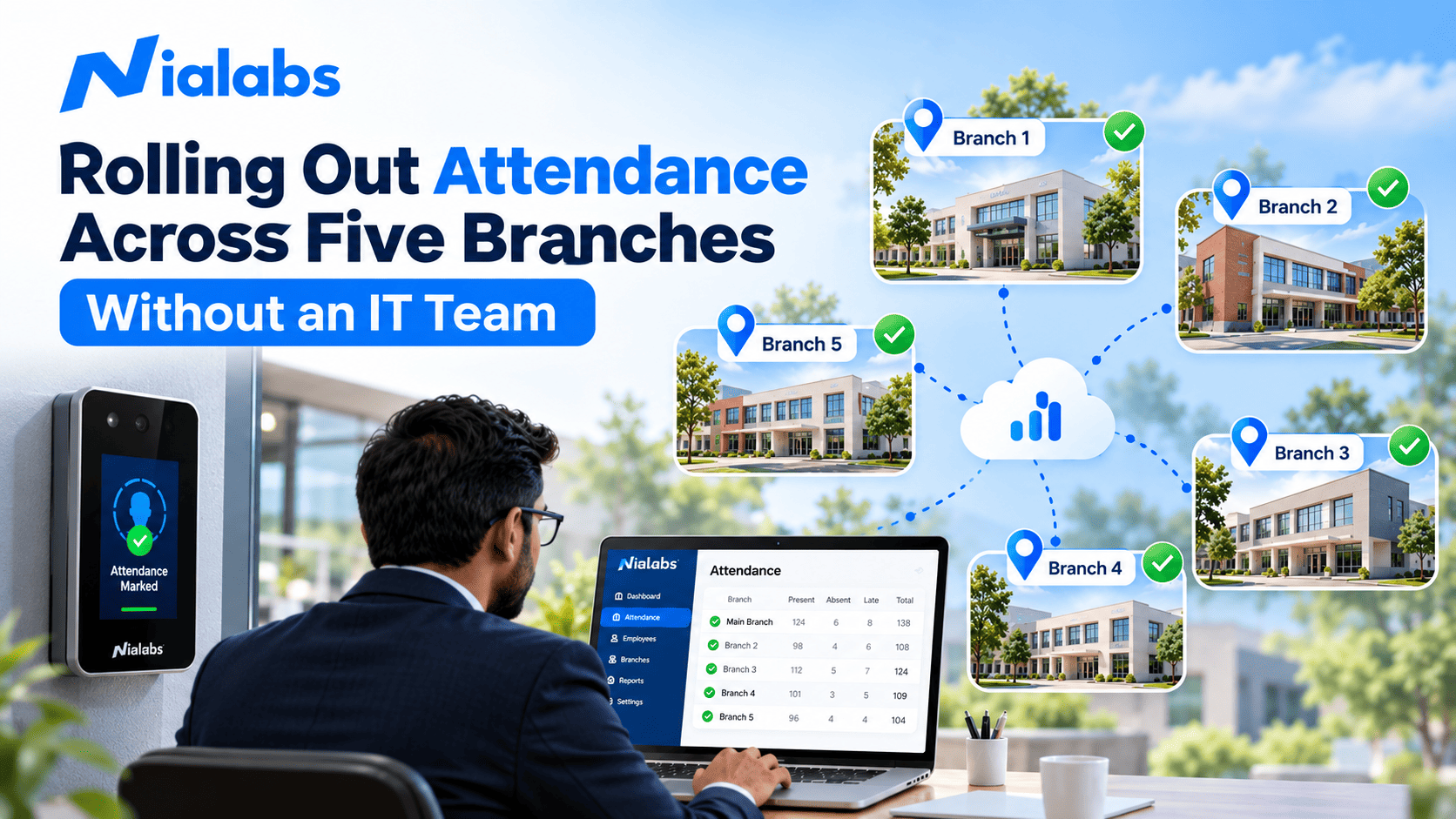
Without a dedicated IT team, a cloud-based attendance system can be very beneficial. Attendance information can be centrally integrated to a centralised cloud platform, which other authorised administrators from various locations can view records without physically visiting each branch.
This simplifies attendance records too, and produces branch-wise reports.
Connectivity is another factor to keep in mind when implementing a biometric attendance system. When a biometric machine disconnects for a period, a capable system with local storage and synchronisation can carry on with its job and synchronise the attendance records when it reconnects.
Test One Branch Before the Full Rollout
Test the setup at one site before rolling it out to all five.
Use the pilot branch to check:
· Employee registration
· Attendance marking
· Shift configuration
· Data synchronization
· Reports
· Manager access
· Internet connectivity
· Device performance
The pilot also provides employees and administrators with experience with the new process. If the setup runs well with the initial branch, you can use the same design on the other four branches. This allows you to test any technical or operational failures before they reach the whole organisation.
Keep Employee Onboarding Simple
The attendance system should not require long periods of technical training for the employee. Registration for biometric attendance can also be as simple as registering their face or fingerprint and having to use the device only upon entering and leaving.
For a mobile attendance system, you will have to tell them how to turn on location, check in and check out, and adhere to the geofence rules.
Make the onboarding process easy and avoid lengthy guidelines; employees can turn to them when they need them. A complex attendance system can cause chaos and bring unwanted support inquiries.
Centralise Attendance Reports
Once all five branches are linked, HR will be able to monitor presence centrally.
Rather than receiving spreadsheets from each branch manager, administrators can get branch-wise attendance records and reports within a single system.
It might also allow easier access to the following reviews:
· Employee attendance
· Absences
· Late arrivals
· Early departures
· Shift-wise attendance
· Branch-wise attendance
This will eliminate duplicate data entry and make the process of monthly attendance easier.
Plan for Support Without an IT Team
Not having an IT team does not mean you cannot have technical support.
Find out if your vendor provides onboarding, remote support, bug fixing, software updates, and device support as part of their attendance solution.
Think about how simple it is for HR or branch admins to complete their regular tasks without tech support.
It can decrease the organization’s reliance on technical staff within the organisation, as the system is easy to set up and use.
How Nialabs Can Support Multi-Branch Attendance
Nialabs also offers an attendance and access-control solution that you can implement in several locations. You may install biometric devices such as a face recognition attendance system and fingerprint devices, as well as a centralised attendance management system.
If an organisation has employees working in branch offices or in the field, then a combination of biometric devices, cloud attendance, GPS-based attendance, and a central report will help them have a unified attendance process.
The aim is not just to install five attendance machines. The aim is to have one manageable attendance process for all five locations.
Conclusion
You can expand biometric devices to five branches without an IT team by using a centralised, simple-to-manage attendance system. Implementation begins with a single branch, followed by training local administrators for that branch, then replicating it to other branches.
This enables HR to better manage attendance, reports, and branch-wise reports from one tool with less manual effort.
FAQ
Can I control attendance on 5 branches without the IT Team?
Yes, a central management and control system for attendance can be accessible to HR or branch admin and can be used for many locations without involving IT.
Can one attendance system manage multiple branches?
Yes, multi-branch attendance systems can combine employee records, attendance, shifts, and reports of all your branches.
What if a branch goes offline?
A device with local storage will still record attendance. When the internet is available again, it will sync with your attendance management software.
Is there a way for HR to see attendance across multiple branches at one time?
Yes, with a web-based system, authorised HR administrators can access branch-wise attendance management and reports from a single portal.