
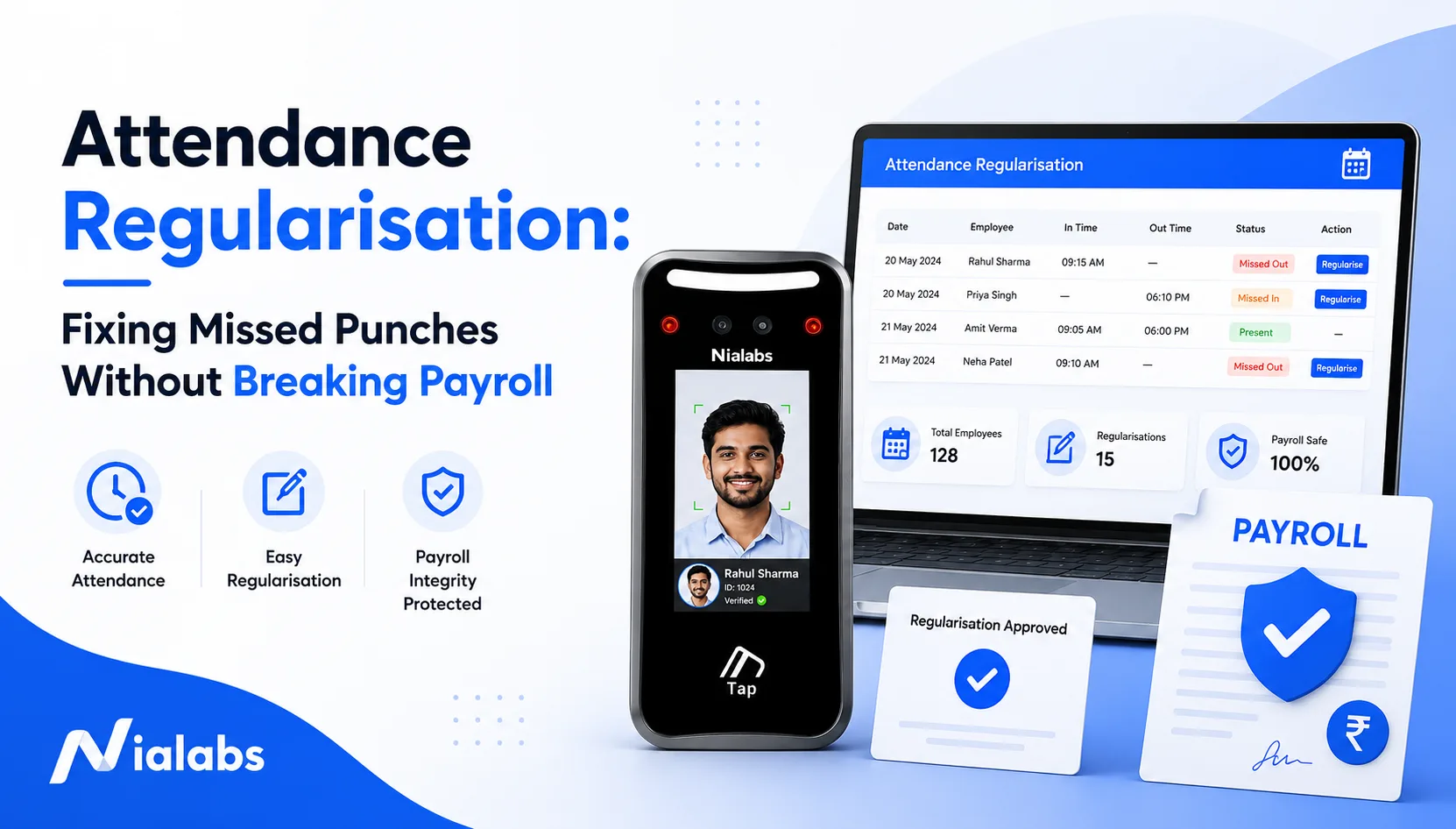
Attendance regularisation is the approval workflow used to correct an attendance record when an employee worked but the system did not capture it accurately. A missed punch-out, a power cut at the terminal, a client visit in Pune, a work-from-home day with no mobile punching: all of these produce a record that says absent when the employee was present. The employee raises an attendance regularization request, usually within 3 working days, and it must clear approval before the payroll cut-off date. Approved after that, the money returns as arrears in the next cycle instead.
Two details decide how the request gets handled. First, regularisation is raised by the employee about a single shift. Where HR fixes hundreds of records in bulk after a terminal fault, that is an attendance correction, a different process with different controls. Second, approval runs through the reporting manager and then a second-level HR review, not one signature. Clear both before the payroll cut-off and the loss of pay is reversed in the same salary cycle.
As a working benchmark, Nialabs treats under 3 requests per 100 employees per month as a healthy volume; anything sustained above that is usually a device or process fault rather than forgetfulness.
What Attendance Regularisation Actually Means, and What It Is Not
Attendance regularisation closes the gap between what the system recorded and what the employee actually worked. It is not the same as an attendance correction, a leave application or a loss of pay reversal, and Indian HR teams lose hours every month because these four get filed interchangeably.
Regularisation vs attendance correction
An attendance correction request comes from the employee and covers a single shift: they finished work and forgot to punch out. A correction, properly speaking, is what an administrator does in bulk after a confirmed system fault. If one terminal loses its server connection and 200 employees are affected, pushing all 200 through the individual approval queue is the wrong instrument. Fix it as an administrative correction, log the device fault, and leave the regularisation queue for genuine one-off exceptions.
Regularisation vs leave application
Regularisation applies when the employee was present and working but the record is wrong. Leave applies when the employee was genuinely away. Filing one as the other distorts both the leave balance and the loss of pay calculation, which is why every request needs a reason category and, where relevant, proof. Systems with leave management integration resolve most of this automatically by evaluating approved leave and verified punches in the same pass.
Regularisation vs LOP reversal
Regularisation changes the attendance record. LOP reversal is the payroll consequence of that change. An employee works Monday and forgets to punch out; the record is regularised after approval. If payroll had already processed that day as loss of pay, the deduction now has to be reversed as well. One is the cause, the other is the effect.
|
Process |
Who initiates it |
What changes |
Payroll effect |
|---|---|---|---|
|
Regularisation |
Employee |
A single attendance record |
May trigger an LOP reversal |
|
Correction |
HR or admin |
Attendance records, often in bulk |
Corrects the affected payroll inputs |
|
Leave |
Employee |
Leave or absence status |
Leave balance, or LOP if unpaid |
The distinction matters for a reason beyond tidy record-keeping: a rising regularisation count is evidence about your process and your hardware, not about your people.
Why Punches Go Missing: The 7 Root Causes
Only three of the seven common causes of a missed punch are actually the employee’s doing. The other four sit in the device, the network or the integration layer, and regularising them every month simply papers over a fault that will recur until someone fixes the infrastructure.
|
Root cause |
Layer |
Is regularisation the right fix? |
|---|---|---|
|
1. Employee forgot to punch |
Behaviour |
Yes, this is the textbook case |
|
2. Power outage or network failure |
Device |
No, use offline buffering and auto-sync |
|
3. Face not recognised |
Device |
No, investigate lighting, camera and FRR |
|
4. Fingerprint rejected |
Device |
No, use a multi-modal fallback |
|
5. Field visit or on-duty travel |
Process |
Yes, but tag it as on-duty |
|
6. Work from home with no mobile punching |
Process |
Yes, or enable geofenced attendance |
|
7. Data did not reach the HRMS |
Integration |
No, fix the data push |
1. The employee forgot to punch
Peak-hour crowding at the gate, a shift handover, a rushed exit. This is the genuine case regularisation exists for, and a well-run site sees it a handful of times a month.
2. Power outage or network failure
When power or connectivity drops, the terminal cannot push the punch to the server immediately. On a device with local buffering the punch is still captured and syncs the moment the link returns. What you need here is offline attendance sync, not a regularisation queue. If this happens repeatedly at the same terminal, read our breakdown of what happens when an attendance machine is not syncing after a power cut before approving another batch of requests.
3. Face not recognised
Recognition fails for identifiable reasons: low light, a backlit doorway, a mask or helmet, poor camera placement, or a matching threshold set too tight. Repeated failures for the same employee are a configuration problem, not carelessness. Check camera position, infrared capability and the false rejection rate on your face recognition attendance system before anything else.
4. Fingerprint rejected
Worn ridges, gloves, wet hands and heavy sanitiser use all degrade fingerprint capture. Factories, hospitals and kitchens see this constantly. A multi-modal terminal that also accepts face or RFID gives the employee a second route rather than a missed punch.
5. Field visit or on-duty travel
An engineer deputed to a client site in Jaipur, Pune or Coimbatore is nowhere near the terminal and will be marked absent by default. These days should be tagged as on-duty with supporting evidence, not processed as forgotten punches.
6. Work from home
If the system only accepts punches at a physical terminal, every remote day becomes an exception. Controlled mobile attendance with geofencing handles this without generating a monthly pile of requests.
7. Attendance data never reached the HRMS
Sometimes the punch is captured correctly on the device and then lost in transit because of a sync failure or an API error. Regularising these entries hides a broken data push that will keep breaking.
The pattern is unmistakable: causes 2, 3, 4 and 7 are hardware and integration faults that HR ends up covering for every month. If your regularisation volume is climbing, that is where to look first.
The 6-Step Attendance Regularisation Workflow
A working regularisation process moves through six steps: the employee spots the discrepancy, raises the request, the manager reviews it, HR runs a second check, the record is updated with an audit trail, and payroll picks it up before cut-off. The non-negotiable rule across all six is that the original entry is versioned, never silently overwritten.
Step 1: Employee spots the discrepancy (day 0 to 2)
The employee should be checking the attendance dashboard weekly, not discovering the problem on the payslip. By payslip day the payroll cut-off has passed and the correction has already slipped into next month’s arrears. A weekly glance also means the employee still remembers the actual timings and can still produce proof.
Step 2: Raise the request inside the window (by day 3)
The request carries the date, the actual in and out times, a reason category and supporting proof where the category demands it. Acceptable evidence includes gate register entries, timestamped work emails, client site logs and approved travel records. A reason written clearly enough for the approver to understand the event without a follow-up conversation is the single biggest determinant of how fast this moves.
Step 3: Reporting manager reviews in context (24 to 48 hours)
The manager checks the request against the roster, the work assigned that day, and the employee’s regularisation history. Blanket approval defeats the control entirely. Approvals and rejections both need a written reason. Where the same employee files the same reason repeatedly, the history view tells you whether you are looking at a behaviour pattern or a terminal that needs attention.
Step 4: HR runs a second-level review (24 to 48 hours)
HR cross-checks against the shift roster and the raw device logs. This layer is not there to re-approve what the manager already approved; it is there to catch the two things a manager cannot see. Several requests from the same terminal on the same date is a device fault. The same reason recurring across one team is a process gap.
Step 5: Attendance record is updated with an audit trail (within 24 hours)
The approved change is written back as a new version carrying a timestamp and the approver’s name. The original entry stays in place. Anyone auditing later should be able to see what was first recorded, what it was changed to, and who authorised it.
Step 6: Payroll picks it up (before cut-off)
This is where attendance and payroll meet. Where the two systems are separate, an approved change has to be keyed in again, and every re-entry is a fresh chance to introduce an error. A direct payroll integration posts the approved change straight into the payroll run. The objective is not just fast approvals. It is one approved change entering payroll exactly once.
The Payroll Cut-Off Problem: Where Regularisation Breaks Salary
The payroll cut-off date is the point after which attendance changes no longer affect the current salary cycle. Clear it and the loss of pay is reversed in this month’s salary. Miss it and the same correction becomes an arrear next month, with a knock-on effect on statutory figures that have already been filed.
What a payroll cut-off actually is
Take a common Indian setup: the attendance period runs from the 21st of one month to the 20th of the next. Payroll then allows a short buffer for pending approvals before freezing attendance for salary processing. If an employee flags a missed punch for the 15th and the request is approved before that freeze, the correction lands in the same month’s salary. Approved after it, the correction waits. The exact date is organisation-specific, which is precisely why it belongs in writing in your attendance regularisation policy rather than in a manager’s head.
Approved before cut-off: LOP reversed in the same cycle
The employee worked, the record showed absent, payroll processed one day of loss of pay. An approved regularisation reaching payroll before the freeze removes that LOP day from the current run. One payslip, correct figures, no follow-up. This is the outcome the entire process exists to produce.
Approved after cut-off: paid as arrears
A late approval does not mean the employee loses the money. It means they get it in the next cycle. Practically, the employee now holds two payslips: a deduction on one and an adjustment on the next. Most of the helpdesk tickets that follow are avoidable simply by telling the employee upfront which cycle their money is landing in.
The statutory knock-on effect
A wrongly posted LOP day reduces the eligible wage components for that month, which flows into PF and ESI calculations. Correct it later and payroll has to establish whether the EPFO and ESIC figures already submitted need a revised filing, and whether the TDS computation for the quarter shifts. The muster roll needs to reflect the corrected version too. This is why a late regularisation is not just an attendance edit: for the payroll team it is a compliance question. Retention of the change history also matters under the DPDP Act 2023, since attendance records are personal data and the audit trail is what demonstrates accountable handling.
Worked example: what two wrong days cost
|
Line |
Value |
|---|---|
|
Gross monthly salary |
₹45,000 |
|
Days in month |
30 |
|
Per-day value |
₹1,500 |
|
Wrongly marked LOP days |
2 |
|
Direct salary shortfall |
₹3,000 |
|
Knock-on effects |
PF and ESI wage-base variance, leave balance impact |
|
If regularised before cut-off |
₹3,000 restored in the same payroll cycle |
|
If regularised after cut-off |
₹3,000 processed as arrears in the next cycle |
The arithmetic is trivial: ₹45,000 across 30 days is ₹1,500 a day, so two wrong days is a ₹3,000 error. The point is not the number, it is that the same error has two entirely different operational outcomes depending on nothing but timing. Where attendance and payroll are connected, the approved correction feeds the run automatically. Where they are not, every handover is another opportunity for a missed update. We have written separately on improving payroll accuracy with biometric attendance which covers the integration side in more depth.
Attendance Regularisation Policy: The Rules That Stop Misuse
A workable attendance regularisation policy fixes five things: the submission window, the approval chain, the evidence required, the monthly cap, and the payroll cut-off. Written down and applied uniformly, it protects genuine cases while stopping regularisation from becoming the standing workaround for a broken terminal.
|
Rule |
Recommended setting |
Why |
|---|---|---|
|
Submission window |
3 working days |
Memory and evidence both degrade quickly |
|
Hard stop |
Payroll cut-off date |
Protects the payroll run |
|
Monthly cap |
3 requests per employee |
Higher volumes should trigger an investigation |
|
Approval chain |
Reporting manager, then HR |
Removes single-person approval loopholes |
|
Rejection reason |
Mandatory free text |
Creates an audit trail |
|
On-duty evidence |
Required |
Substantiates the attendance claim |
|
Retro-dating |
Current payroll cycle only |
Stops closed periods being reopened casually |
|
Audit |
Quarterly review |
Surfaces repeat employee and approver patterns |
|
Record retention |
Timestamped and versioned |
Supports accountable handling of personal data |
The five clauses your policy needs
-
Scope. Regularisation may be requested where the employee attended and performed duties but the attendance record is missing or incorrect.
-
Submission window. Requests must be raised within 3 working days of the attendance date and before the applicable payroll cut-off.
-
Approval. The reporting manager reviews first. HR conducts a second-level review. Documentary evidence is mandatory for on-duty and field-visit categories.
-
Misuse. Repeated or unsupported requests may be rejected and are tracked. Regularisation must not be used to cover proxy attendance, buddy punching or deliberate late arrival.
-
Payroll linkage. Requests approved before the cut-off are processed in the current cycle. Requests approved afterwards are processed as arrears in the next cycle, subject to statutory requirements.
Attendance regularisation format: a copy-paste application
The application does not need to be long. It needs to contain what the manager and HR will check.
Subject: Attendance regularisation request, 18 August 2026
Date of attendance: 18 August 2026Actual in / out: 09:08 to 18:14
Reason category: Missed punch-out
Reason: Left through the rear gate after a client call;
punch-out not recorded.
Supporting proof: Gate register entry / work email timestamped 18:09
Employee ID: NL-2287
What is the time limit for attendance regularisation in India?
There is no statutory time limit under Indian law. The limit is whatever your policy sets, and 3 working days from the attendance date with the payroll cut-off as the hard stop is the most common workable setting. The reason to write it down is consistency: without a stated window, different managers apply different standards to the same situation, and that is where disputes start.
Cut Regularisation at Source: The Device-Layer Fix
The best regularisation process is the one employees rarely need to use. Local buffering during power cuts, multi-modal authentication, correctly configured recognition thresholds and a direct HRMS link between them remove most of the causes that generate requests in the first place. This is the part of the problem that software alone cannot solve.
Power cuts and dead internet
A terminal that stores punches locally keeps accepting them through an outage and syncs everything once the connection returns. A punch held safely on the device is not a missed punch, and it should never reach the regularisation queue. When you evaluate attendance infrastructure, ask specifically how many records the device buffers and how the sync behaves after an extended outage.
Recognition failures
Face recognition terminals need to be tested in the environment they will actually run in, not in a showroom. A dim entrance, a backlit doorway, masks and helmets all move the result. Dual-camera devices with infrared handle capture in poor light, and the matching threshold should be tuned to the site. Note the trade-off honestly: loosening the threshold reduces false rejections and raises false acceptances, and a terminal that accepts anyone has stopped being a control.
Multi-modal fallback
A terminal supporting face, fingerprint and RFID together gives every employee a second route when the first one fails. It matters most on factory floors where gloves are standard, in hospitals where sanitiser use degrades fingerprint capture, and in kitchens where hands are wet. The principle is simple: a failed recognition attempt should not automatically become a lost record.
Eliminate the manual re-entry step
Verified attendance should move from device to payroll in one pass through an API, so nobody exports a file and retypes approved data into a second system. Fewer manual entries means fewer places for a human error to enter the chain. This is where a biometric attendance machine paired with integrated HRMS and payroll software closes the loop end to end, from the punch at the gate through to the salary calculation.
Track regularisation volume as a KPI
Regularisation count is not just an administrative burden. It is an early warning signal about your attendance infrastructure, and it is free to measure.
|
Requests per 100 employees per month |
What it indicates |
Action |
|---|---|---|
|
Under 3 |
Healthy, normal human error |
Maintain and audit periodically |
|
3 to 8 |
Possible process gap |
Check shift changes, WFH and on-duty tagging |
|
8 to 15 |
Possible device or environment fault |
Review terminal placement, lighting, network and FRR |
|
Over 15 |
Potential system failure |
Run a full device and integration audit |
Nialabs working benchmark. This is an operational guideline, not an industry standard.
The value of this benchmark is not the exact threshold, it is the direction it points investigation. If the count keeps rising, the question to ask is not why employees keep forgetting, it is why the system keeps failing to record them. Where the pattern clusters around specific shifts, check the shift management configuration before blaming the terminal.
Frequently Asked Questions
What is attendance regularization?
Attendance regularization is the approval workflow used to correct an attendance record when an employee worked but the system did not capture it accurately. The employee raises the request with a reason and supporting proof, a manager approves it, and the corrected record then flows into payroll.
What is the time limit for an attendance regularisation request in India?
There is no statutory time limit in India. Most Indian employers set a submission window of 3 working days from the attendance date, with the monthly payroll cut-off as the hard deadline. The window should be written into your attendance regularisation policy and applied identically to every employee.
Is attendance regularisation the same as applying for leave?
No. Regularisation applies when the employee was present and working but the attendance record is wrong or incomplete. Leave applies when the employee was genuinely away from work. Filing one as the other distorts both the leave balance and the loss of pay calculation.
What happens if attendance is regularised after the payroll cut-off?
The correction is normally paid as arrears in the next payroll cycle rather than the current one. The employee sees a deduction on one payslip and an adjustment on the next. If the original error changed a statutory wage base, payroll may also need to revisit the PF and ESI figures already filed.
How many regularisation requests per month is normal?
Under 3 requests per 100 employees per month is the working benchmark Nialabs uses for a healthy process. This is an operational guideline, not an industry standard. Sustained volumes above 8 per 100 usually point to a device, network or shift configuration fault rather than employee forgetfulness.
Can a biometric attendance system integrate with leave approvals?
Yes. A biometric attendance system connects to HRMS and leave modules through an API, so verified punches, approved leave and shift rules are evaluated together. That removes the manual reconciliation step where an employee is marked absent despite having approved leave on record.
Is biometric attendance mandatory for accurate payroll in India?
No. Indian law does not require biometric attendance for payroll. It requires accurate attendance and wage records. Any method that produces a verifiable, tamper-resistant record can satisfy that, but manual registers and card systems generate far more disputes because the record cannot prove who was actually present.
Is a biometric attendance system worth it for payroll accuracy?
It becomes worth it when the recurring cost of wrong deductions, HR reconciliation hours and payroll disputes exceeds the device and integration cost. Build the case on headcount, the number of wrongly deducted days per month, the HR hours spent reconciling them, and hardware cost spread across a three-year life. Our biometric attendance system price in India breakdown gives the current 2026 ranges to build that model against.
Stop Regularising the Same Fault Every Month
If your regularisation queue is filling up with power cuts, failed recognitions and sync errors, the fix is not a faster approval workflow. Nialabs builds both the hardware and the software layer, so verified punches survive an outage and reach payroll without anyone retyping them. Our biometric attendance system handles over 1 million punches a day across 5,500 installations in India. Tell us what your gate looks like and we will tell you which setup removes the requests at source.