
A QR code attendance system marks attendance when an employee or student scans a QR code with an app on their phone, logging their account, the time and often their GPS location. It is cheap and quick to set up, which makes it a good fit for meetings, training sessions and events. Its main weakness is identity: a scan proves that an account checked in, not that the right person was physically present, so static QR codes are easy to misuse for proxy attendance. For daily attendance that feeds payroll or parent alerts, face recognition with liveness detection is the more reliable choice.
Paper registers are slow to fill, easy to fake and painful to total at month-end. That is why many Indian offices, schools, colleges and training centres look at QR code attendance as the first step towards an automated system. It needs almost no hardware and staff already carry smartphones. This guide explains how a QR attendance system works, where it performs well, where it breaks down, and how it compares with biometric attendance.
Key Takeaways
• QR attendance is phone-based. The person scans a code with an app, and the app identifies them by their login.
• Static codes are easy to share. A photo of a printed code sent on WhatsApp lets anyone check in from anywhere.
• Dynamic codes, geofencing and selfies reduce misuse but still verify the phone or account, not the person.
• QR suits meetings, events and visitors. Biometric attendance suits daily attendance tied to payroll, compliance or student safety.
• You do not have to choose one. Many face recognition terminals also accept QR codes for visitors and one-off sessions.
What Is a QR Code Attendance System?
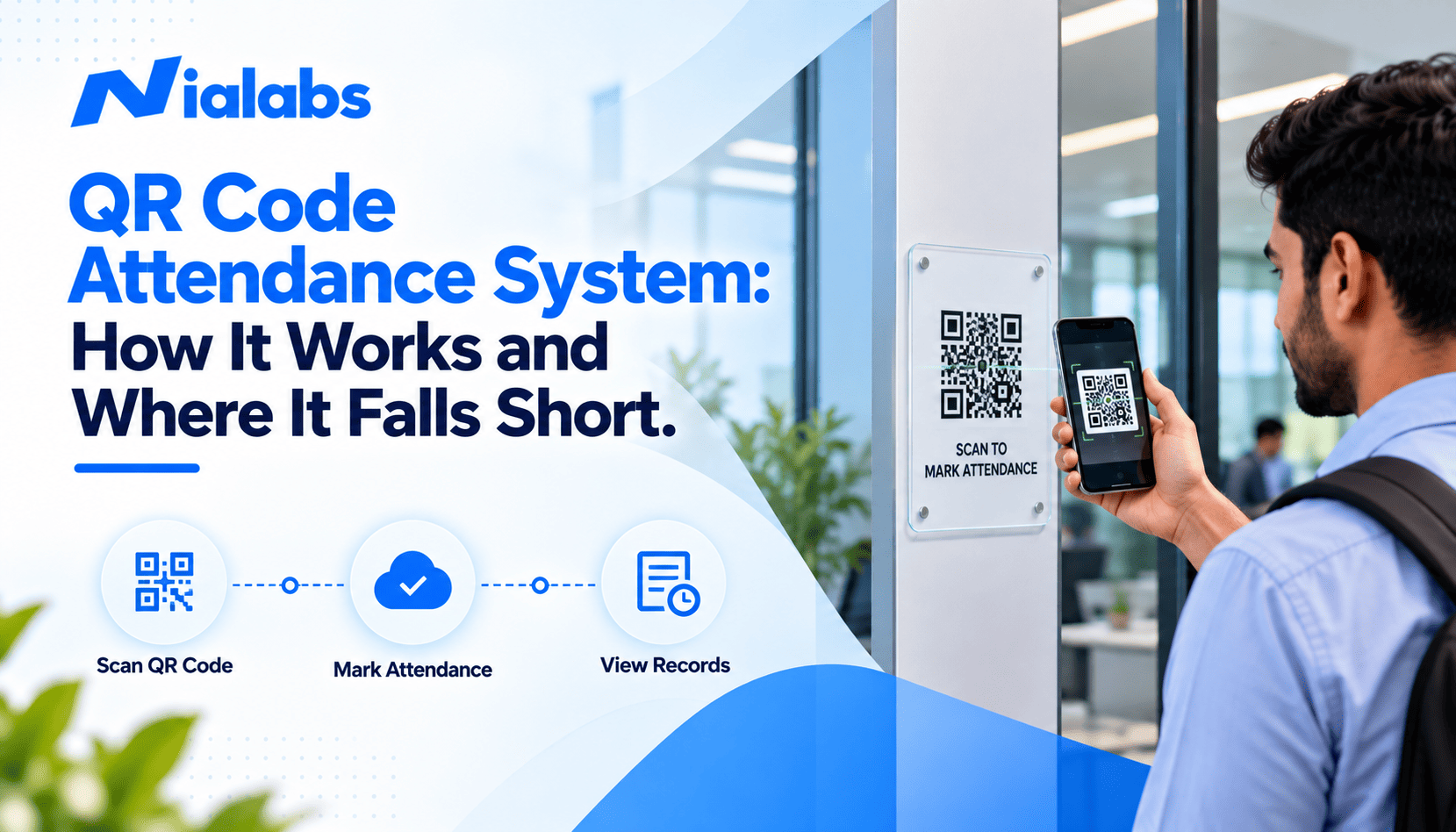
A QR code attendance system is a digital attendance method in which people mark attendance by scanning a QR code instead of signing a register or using a biometric device. In most setups, the organisation displays a QR code at a check-in point and each person scans it with an attendance app on their own smartphone. The app already knows who they are from their login, so the scan records their employee or student ID, the date and time, and depending on the system, their GPS location and device details. The record then appears on an online attendance dashboard.
A second, less common setup reverses this: each person carries a personal QR code on an ID card or phone, and a fixed scanner or terminal reads it. This avoids the need for an app, but the code can still be shared like a card. For how QR fits among other credentials, see our glossary entry on QR code access.
QR attendance is commonly used for:
• Meetings, workshops and training sessions
• College lectures and coaching classes
• Events, seminars and exhibitions
• Small offices replacing paper registers
• Visitor and contractor check-in
How Does QR Code Attendance Work?
1. The organisation generates a QR code
The attendance software creates a QR code linked to a location, class or session. It is either printed and displayed at the entrance, classroom or reception (a static code) or shown on a screen or tablet that refreshes it every few seconds (a dynamic code).
2. The employee or student scans the code
The person opens the attendance app and scans the code with the phone camera. The app identifies them from their logged-in account, employee number or student roll number.
3. The system checks extra signals
Better systems add checks before accepting the scan: GPS location, geofencing attendance rules that allow check-in only inside a set boundary, device ID, or a selfie taken at the time of the scan.
4. Attendance is recorded and reported
The check-in or check-out is saved with a timestamp and appears on the dashboard, where it can be used for reports, late marks and payroll exports.
Static vs Dynamic QR Codes for Attendance
|
Factor |
Static QR code |
Dynamic QR code |
|
How it works |
One fixed code, printed and displayed |
Code refreshes every few seconds on a screen |
|
Setup cost |
Almost zero |
Needs a powered screen or tablet at each point |
|
Can a photo be shared? |
Yes, and it keeps working |
The screenshot expires within seconds |
|
Proxy risk |
High |
Lower, but account sharing is still possible |
|
Best for |
Low-stakes events and sessions |
Classrooms and offices that need more control |
Benefits of QR Code Attendance
• Simple to start: no device installation; display a code and share the app.
• Low upfront cost: it uses phones people already own, which suits small teams and temporary sites.
• Fast group check-in: a room full of people can scan within a minute or two.
• Digital records: no paper registers to collect, total or store.
• Flexible for events: codes can be created for any session, workshop or venue in minutes.
Where QR Code Attendance Falls Short
It verifies the phone, not the person
A QR scan proves that a code was scanned from a logged-in account. It does not prove who was holding the phone. Whoever has the phone and the password can mark attendance, which is exactly the gap that biometric attendance closes by checking a face or fingerprint.
Proxy attendance is easy with static codes
The most common misuse is simple: one person photographs the printed code and shares it on a group chat, and colleagues or classmates scan it from home. Another is handing a phone to a friend who is present. This form of proxy attendance is hard to spot in reports because every entry looks valid. Dynamic codes, geofencing, device binding and selfies all reduce the risk, but each adds cost and friction, and none fully confirms identity. For a full set of controls, read our guide on how to stop proxy attendance.
Everyone needs a working smartphone
A flat battery, a broken camera, no mobile data or an app update failure means no attendance. In Indian factories, schools and construction sites, many workers and students either do not carry smartphones or are not allowed to use them on site.
GPS can be spoofed
Location checks rely on the phone's GPS, and fake-location apps can make a phone report a position inside the geofence. Indoor GPS is also imprecise, which can block genuine check-ins near the boundary.
It is weak for compliance-grade records
When attendance drives salary, overtime, statutory registers or parent notifications, disputes need evidence that a specific person was present. A QR log rarely holds up as well as a biometric record with a timestamp from a fixed device.
QR Code vs Biometric Attendance
|
Factor |
QR code attendance |
Biometric attendance |
|
What it verifies |
The phone or account that scanned |
The person's face or fingerprint |
|
Hardware |
Minimal; uses personal phones |
A fixed terminal at each entry point |
|
Smartphone needed |
Yes |
No |
|
Setup |
Minutes |
Device installation and enrolment |
|
Proxy attendance |
Possible, especially with static codes |
Blocked by face recognition with liveness detection |
|
Field teams |
Works with GPS-enabled apps |
Needs a terminal per site, such as a 4G device |
|
Best for |
Meetings, events, visitors, training |
Daily attendance tied to payroll, compliance or student safety |
For a wider comparison of credentials, see our breakdown of face recognition vs RFID attendance and the main types of biometric attendance.
When Should You Choose QR Code Attendance?
QR code attendance is a good choice when:
• You need attendance for meetings, workshops, training or events
• The group is small, and attendance does not affect pay or compliance
• Everyone carries a smartphone and is allowed to use it
• The site is temporary and installing a device is not worth it
• You need a simple way to check in visitors or contractors
When Should You Choose Biometric or GPS Attendance?
Choose face recognition attendance when attendance must be tied to a verified person: daily staff attendance linked to payroll, shift-based factories, schools that send parent alerts, or any site where proxy attendance is a known problem. A contactless face attendance solution also works without phones, which matters in schools and on factory floors. Choose GPS-based mobile attendance for sales and service teams that move between customer sites. Many organisations combine the two: fixed terminals at main entrances, mobile attendance for field staff and QR codes for visitors.
How Nialabs Combines Face Recognition and QR
Nialabs builds NiaFace attendance terminals that verify the person with AI face recognition and liveness detection, so attendance cannot be marked from a shared photo or another person's phone. Models such as the NiaFace A60 and A70 also accept QR codes and RFID cards, so the same device can handle staff, visitors and one-off sessions. Explore the NiaFace device range, or see how the AI attendance platform connects every punch to reports, shifts and payroll. For sites without Wi-Fi, the NiaFace A80 works over 4G.
Frequently Asked Questions
What is a QR code attendance system?
A QR code attendance system marks attendance when a person scans a QR code with an app on their phone. It records their ID, time and often GPS location on a digital dashboard.
Can QR code attendance stop proxy attendance?
Not fully. Static codes can be shared on WhatsApp and scanned from anywhere. Dynamic codes and geofencing reduce misuse, but only face recognition with liveness detection confirms the right person was present.
What is the difference between a static and a dynamic QR code for attendance?
A static QR code never changes and can be reused from a photo. A dynamic QR code refreshes every few seconds on a screen, so a shared screenshot expires quickly.
Is QR code attendance better than biometric attendance?
No, they suit different needs. QR is cheaper and quicker for meetings and events, while biometric attendance verifies identity for daily attendance linked to payroll or student safety.
Is QR code attendance suitable for schools in India?
Only for events, staff meetings and college lectures. For daily student attendance, face recognition works better because many students do not carry phones and it can send instant parent alerts.
Does QR attendance work for field employees?
Partly. A fixed QR code needs a fixed location, so field teams are better served by GPS-based mobile attendance or a 4G face recognition terminal at remote sites.
Conclusion
A QR code attendance system is a quick, low-cost way to move off paper registers, and it works well for meetings, training, events and visitors. Its limit is identity: a scan confirms that a phone checked in, not that the right person was present. Where attendance drives salary, compliance or student safety, use face recognition for verified daily attendance and keep QR for the situations it handles best.