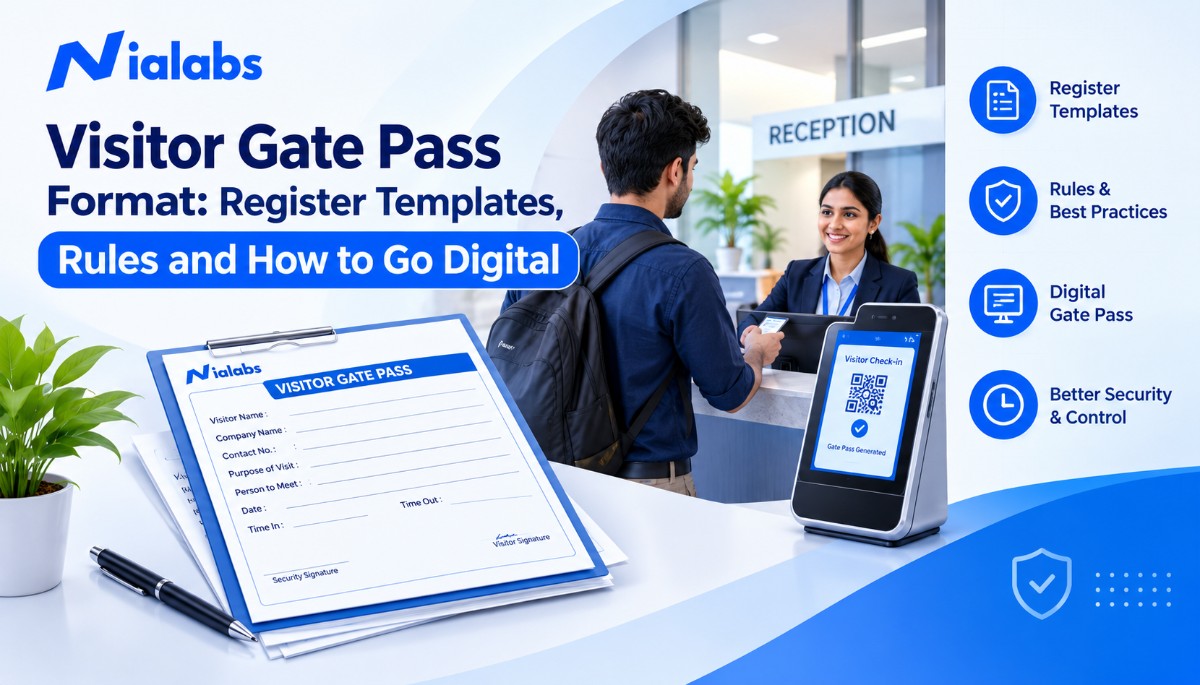

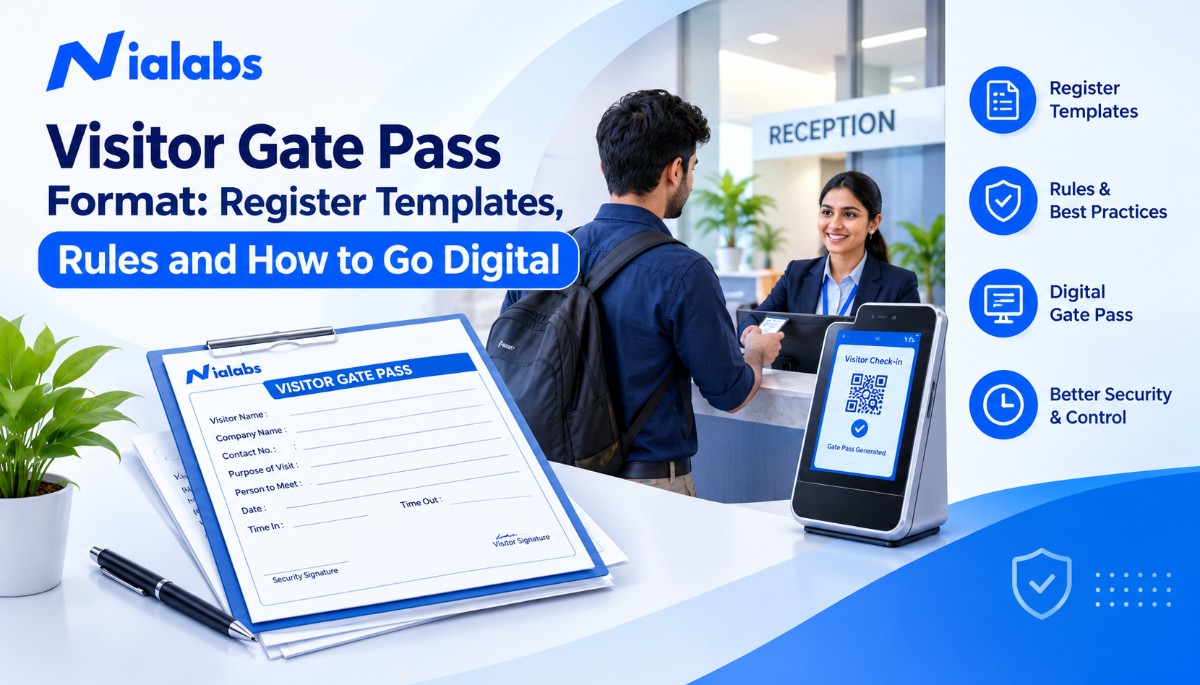
A visitor gate pass format is a standard template that records who a visitor is, whom they are meeting, why they came, who approved the entry, and when they entered and left. A complete pass carries a unique pass number, visitor and host details, purpose of visit, time in, time out and signatures. It links to one matching line in the visitor register.
Schools, offices, factories, hospitals and hostels in India receive parents, vendors, contractors, delivery staff, interview candidates and auditors every day. Without a fixed format, guards record different details for different visitors, approvals happen over the phone, and nobody can say with certainty who is still inside at closing time.
This guide gives you a copy-ready visitor gate pass template, a filled sample, a 13-column visitor register format, Excel set-up tips, eight register rules and a five-step plan to move from paper to digital passes.
Key Takeaways
-
A practical visitor gate pass has 16 fill-in fields: 11 are essential for security and 5 are optional, depending on the site.
-
The gate pass and the visitor register are two different records. The visitor carries the pass, the organisation keeps the register, and one unique pass number such as VGP-2026-001 links them.
-
A visitor register needs 13 columns, from entry number to security remarks, and works as a single Excel sheet with one row per visit.
-
Recording the exit time and collecting or deactivating the pass keep the “who is inside” count accurate.
-
Under the DPDP Act, 2023, visitor details kept in digital form are digital personal data. Collect only what the gate needs and delete records once their purpose is served.
-
Moving to a digital visitor gate pass takes five steps: digital registration, host approval, QR passes, automatic check-in and check-out, and centralised records.
What is the Difference Between a Visitor Gate Pass and a Visitor Register?
A visitor gate pass is the slip or digital pass issued to the person entering. A visitor register is the organisation’s permanent log of every visit. Both carry the same pass number, so security can match any pass to its register entry.
|
Visitor Gate Pass |
Visitor Register |
|
|---|---|---|
|
Who holds it |
The visitor, during the visit |
The organisation, at the gate |
|
Purpose |
Authorises one entry |
Keeps the full entry and exit history |
|
Lifespan |
One visit or a fixed date range |
Retained as per your security policy |
|
Link between them |
Unique pass number |
Same pass number |
Standard Visitor Gate Pass Format (Copy-Ready Template)
A standard visitor gate pass template prints the organisation name and address at the top, lists the fields in the order a guard fills them, and keeps the exit fields at the bottom so they are completed at checkout. An A5 sheet or a serial-numbered pass book with a carbon copy for the gate works well for most Indian sites.
Copy this gate entry pass format and customise it for your premises:
|
VISITOR GATE PASS — [Organisation Name] | [Address] |
|
|---|---|
|
Pass Number |
____________ |
|
Date |
____________ |
|
Visitor Name |
____________ |
|
Company / Organisation |
____________ |
|
Mobile Number (optional) |
____________ |
|
ID Proof Shown, type only (optional) |
____________ |
|
Person to Meet |
____________ |
|
Department (optional) |
____________ |
|
Purpose of Visit |
____________ |
|
Vehicle Number (optional) |
____________ |
|
Time In |
____________ |
|
Authorised By |
____________ |
|
Visitor Signature (optional) |
____________ |
|
Security Personnel Signature |
____________ |
|
Time Out |
____________ |
|
Pass Returned / Deactivated |
Yes / No |
Which Fields Are Required and Which Are Optional?
Eleven fields are essential because each one answers a security question: who came, who allowed them, and whether they left. The other five depend on your site. For example, vehicle numbers only matter where vehicles enter the campus.
|
Field |
Required or Optional |
Why it matters |
|---|---|---|
|
Pass Number |
Required |
Links the pass to one register entry and stops reuse |
|
Date |
Required |
Keeps the pass valid for one day only |
|
Visitor Name |
Required |
Identifies the person; match it against the ID shown |
|
Company / Organisation |
Required |
Tells the host which firm, vendor or family the visitor represents |
|
Mobile Number |
Optional |
Lets security contact a visitor who has not checked out |
|
ID Proof Shown (type only) |
Optional |
Write “Driving Licence” or “Company ID”, not the ID number |
|
Person to Meet |
Required |
Names the host responsible for the visitor inside |
|
Department |
Optional |
Helps guards direct visitors on large campuses |
|
Purpose of Visit |
Required |
Separates meetings, deliveries, interviews, repairs and parent visits |
|
Vehicle Number |
Optional |
Needed where vehicles enter the premises or parking |
|
Time In |
Required |
Starts the visit record |
|
Authorised By |
Required |
Shows who approved the entry |
|
Visitor Signature |
Optional |
Confirms the visitor accepted site rules, such as no photography |
|
Security Personnel Signature |
Required |
Shows which guard verified the visitor |
|
Time Out |
Required |
Closes the visit and confirms the visitor left |
|
Pass Returned / Deactivated |
Required |
Prevents the same pass being used again |
Do not copy full Aadhaar or other ID numbers into a visitor register. Noting the ID type is enough for verification, and it keeps the register free of data you would otherwise have to protect.
Sample Filled Visitor Gate Pass
Here is how a guard at a Jaipur office would complete the pass for a business meeting:
|
Field |
Sample Details |
|---|---|
|
Pass Number |
VGP-2026-001 |
|
Date |
10 November 2026 |
|
Visitor Name |
Rahul Sharma |
|
Company / Organisation |
ABC Enterprises |
|
ID Proof Shown |
Driving Licence |
|
Person to Meet |
Administration Manager |
|
Department |
Administration |
|
Purpose of Visit |
Business meeting |
|
Vehicle Number |
RJ14 AB 1234 |
|
Time In |
10:30 AM |
|
Authorised By |
Administration Manager |
|
Time Out |
11:15 AM |
|
Pass Returned |
Yes |
This sample is illustrative. Replace the details with your own visitor information and approval procedure.
How to Number and Validate Visitor Gate Passes
A visitor pass number connects the physical pass to its register entry. A simple structure is prefix, year and sequence: VGP-2026-001, VGP-2026-002, VGP-2026-003. Here VGP stands for Visitor Gate Pass, 2026 is the year, and the last digits run in sequence and restart every January.
Sites with several visitor categories can use one prefix per pass type, for example VCP for vendors and contractors, PVP for parent visits and DLP for deliveries. A guard can then tell the category at a glance, and monthly counts by type come straight from the numbers.
Every pass needs a defined validity. A meeting pass is valid for that visit on that date only. A contractor working for a week gets a pass with a clear end date, not an open pass. If you use a printed pass book, keep the carbon copy at the gate so a missing serial number is visible during audits.
Before allowing entry, the guard checks the pass number, visitor details and approval. At exit, the guard records the time out and collects the pass, or deactivates its digital version. Some sites use reusable RFID visitor cards instead of paper slips. Reusable cards save printing, but a card can be handed to someone else, so they suit only sites that also verify the person at the gate.
Visitor Register Format: 13 Essential Columns
A visitor register format records each visit as one row and keeps the organisation’s permanent entry and exit history. The pass travels with the visitor; the register stays at the gate. A well-designed visitor entry register format uses these 13 columns:
|
S.No. |
Column |
What to write |
|---|---|---|
|
1 |
Entry Number |
Running number for the register line |
|
2 |
Date |
Date of the visit |
|
3 |
Visitor Name |
Full name as on the ID shown |
|
4 |
Company / Organisation |
Firm, vendor, school or “Parent of [student]” |
|
5 |
Contact Number (if required) |
Only where your policy needs it |
|
6 |
Purpose of Visit |
Meeting, delivery, interview, maintenance, parent visit |
|
7 |
Person to Meet |
Host’s name |
|
8 |
Department |
Host’s department or block |
|
9 |
Visitor Pass Number |
Same number printed on the pass |
|
10 |
Time In |
Arrival time |
|
11 |
Time Out |
Exit time, filled when the pass is returned |
|
12 |
Approval Status |
Approved, rejected or pending |
|
13 |
Security Personnel Remarks |
Escort given, items carried, any incident |
Customise the columns to your premises. Schools usually add the student’s name and class for parent visits, while factories add contractor company, work permit number and permitted area. The goal is enough information for security and accountability, without asking visitors for personal details you do not need.
How to Set Up a Visitor Gate Pass Format in Excel
A visitor gate pass format in Excel is the easiest upgrade from a paper register. Set it up like this:
-
Use the 13 register columns as headers in row 1 and freeze the header row.
-
Enter one visit per row and never merge cells, so the sheet stays sortable and filterable.
-
Add drop-down lists through Data Validation for Purpose of Visit and Approval Status, so every guard uses the same values.
-
Add a Duration column that shows “Inside” until a Time Out is entered. At closing time, filter it for “Inside” to find anyone who has not checked out.
-
Password-protect the file and limit who can open it, because the sheet holds visitor personal data.
Excel still depends on a guard typing every entry. It has no host approval, no QR pass and no live count across gates, which is why higher-footfall sites move to a digital visitor system.
What are the Different Types of Visitor Gate Pass Templates?
Different visitors need different fields. A separate pass category for each visitor type tells the guard what to check and where the visitor may go.
|
Pass type |
Typical visitors |
Extra fields to add |
Suggested prefix |
|---|---|---|---|
|
General visitor pass |
Guests, clients, candidates |
Host, meeting room |
VGP |
|
Vendor and contractor pass |
Maintenance, installation, audit teams |
Work purpose, permitted areas, escort, end date |
VCP |
|
Parent visitor pass |
Parents, guardians, pickup persons |
Student name and class, relation, authorised pickup |
PVP |
|
Delivery and material entry pass |
Couriers, suppliers, drivers |
Delivery firm, vehicle number, receiving department |
DLP |
|
Hostel visitor pass |
Parents and guardians of residents |
Resident name, room, warden approval |
HVP |
1. General Visitor Gate Pass
A general visitor gate pass is issued to guests, clients, interview candidates and other people visiting for a meeting or appointment. It records the visitor’s name, organisation, purpose, host, and entry and exit times, and it is valid only for that visit.
2. Vendor and Contractor Gate Pass
A vendor and contractor gate pass covers maintenance, installation, repair and inspection work. It adds the contractor’s company, the department that authorised the work, the permitted areas, escort requirements and an end date for multi-day jobs.
3. Parent Visitor Pass for Schools
A parent visitor pass records parents and guardians who come for teacher meetings, fee queries, student pickup and admin work. It should add the student’s name and class and, for early pickup, confirm that the person collecting the child is on the list of authorised pickup persons given by the parents. Schools that want the full gate routine can follow this visitor management system for schools guide on gate protocol and parent pickup.
4. Delivery and Material Entry Pass
A delivery and material entry pass records couriers and suppliers who drop goods, documents or equipment. It captures the delivery organisation, vehicle number, purpose and receiving department. If goods leave the premises, use a separate material gate pass rather than the visitor pass.
5. Hostel Visitor Pass
The warden approves a hostel visitor pass before the visit and names the resident being visited. Residential schools, coaching hostels and PG facilities can use hostel management software that routes a parent’s visit request to the warden for approval and keeps it alongside the resident’s in-and-out records.
What are the 8 Rules for Maintaining a Visitor Gate Pass Register?
A visitor register is only reliable when every guard follows the same process on every shift. These eight rules cover the gaps that most often break a register:
-
Record every visitor: Register every external visitor before entry, according to your entry policy, including regular vendors.
-
Verify the purpose of the visit: Confirm whom the visitor is meeting and why, and call the host if the visit was not expected.
-
Obtain approval: Allow entry only after the host, department or designated authority approves it.
-
Issue a unique visitor pass: Give every visit its own pass number that matches the register entry.
-
Record entry and exit times: Fill in both times. A register with only arrival times cannot tell you who is still inside.
-
Collect or deactivate visitor passes: Collect temporary passes at exit, or deactivate digital passes, so they cannot be reused.
-
Restrict access to authorised areas: Allow visitors only into the areas their visit needs, with an escort wherever your policy requires one.
-
Protect visitor information: Collect only necessary details, restrict who can see the register, and set a retention and deletion period. The DPDP Act 2023 school guide explains consent and data-handling basics in plain language.
Manual vs Digital Visitor Gate Pass System: What Changes?
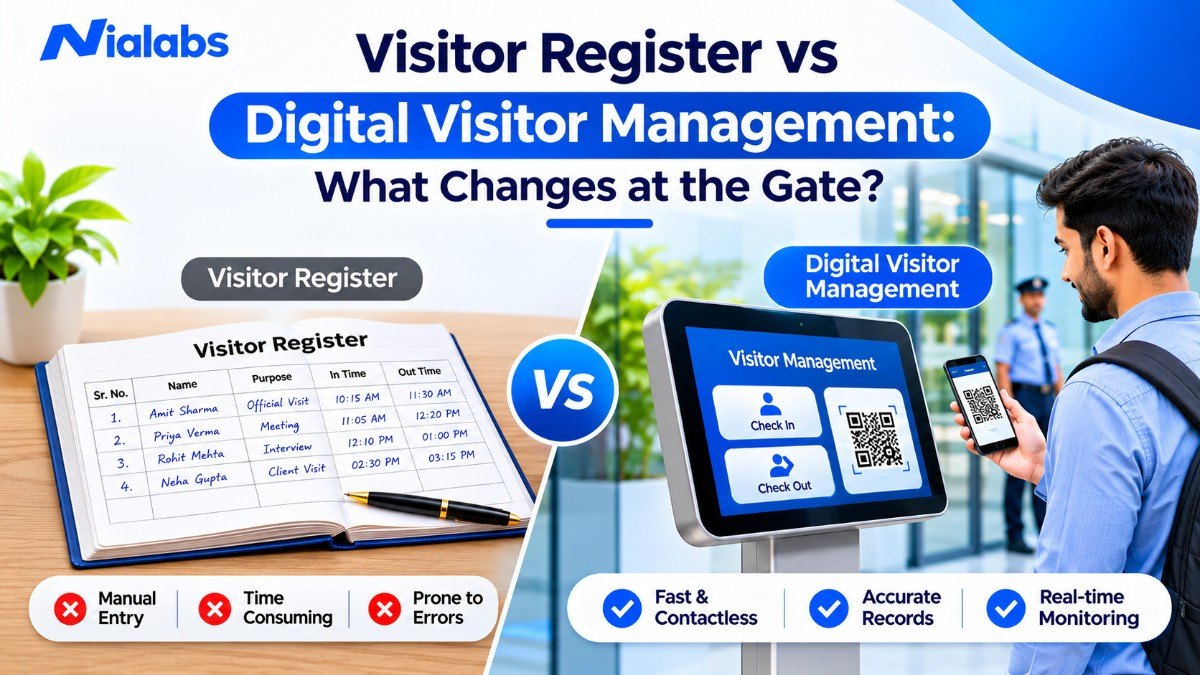
A manual visitor gate pass system uses a paper register and handwritten passes. A digital system captures the same fields electronically and adds approvals, QR passes and searchable records. Paper still works for a small office with a few visitors a day. It struggles when footfall grows or when several gates must share one record. For a stage-by-stage view, see visitor register vs digital visitor management.
|
Manual Visitor Management |
Digital Visitor Management |
|---|---|
|
Handwritten visitor entries |
Digital or self-service visitor registration |
|
Manual pass preparation |
Automatic pass generation with a QR code |
|
Approval by phone call or host walking to the gate |
Host approves on their phone before entry |
|
Physical registers stored in cupboards |
Centralised digital records |
|
Slow search through old registers |
Visitor records found in seconds by name, date or host |
|
Manual entry and exit times |
Time-stamped check-in and check-out by scan |
|
Headcount needed to know who is inside |
Live list of visitors currently inside |
|
Limited reporting |
Searchable, exportable visitor reports |
Choose a digital system based on your daily visitor volume, number of gates, security requirements and existing entry procedures, not on features alone.
How to Convert Your Visitor Gate Pass Process into a Digital System
You can convert a paper visitor gate pass process in five steps, and you do not need to switch everything on the same day. Many sites run the paper register alongside the digital one for the first few weeks, then retire it.
Step 1: Digitise Visitor Registration
Replace the handwritten register with a digital form that captures name, organisation, purpose of visit and host. Let expected visitors fill the form on their own phone through a QR code at the gate, so the guard only verifies instead of typing.
Step 2: Introduce Digital Host Approval
Send each visit request to the host or department on their phone. The host approves or rejects it before the visitor walks in, and the approval is stored against the visit. This removes the phone call from the gate and leaves a clear record of who authorised entry.
Step 3: Generate QR Visitor Passes
Once a visit is approved, generate a digital visitor gate pass with a unique pass number and a QR code. The guard can scan it on a phone, or a face recognition terminal that reads QR codes, such as the NiaFace A60, can verify it at the entry point. The NiaFace A60 supports face, card, password and QR code verification, so staff and visitors can use the same terminal.
Step 4: Record Check-In and Check-Out Automatically
Scan the pass at entry and again at exit. Each scan writes the time to the record, so the “who is inside now” list stays accurate without a guard filling the time-out column. Where visitors must pass a door or turnstile, link the pass to an access control system with temporary visitor passes, so access expires automatically when the visit window ends.
Step 5: Keep Centralised Visitor Records
Store every visit in one searchable record across all gates and branches. Authorised administrators can then find a past visit by name, date, host or purpose in seconds, export reports for audits, and apply one retention and deletion policy instead of managing several paper registers.
Can Visitor Passes and Staff Attendance Share the Same Gate?
Yes, but they should not share the same register. Most entry gates handle two flows at once: employees or students who come every day, and visitors who come once. When both go through one register, the gate slows down and the register fills with daily regulars. A cleaner design uses a biometric attendance system for regular staff and students, so they check in with their face or fingerprint and their attendance is recorded automatically. It keeps the visitor gate pass only for outsiders.
At main gates where strong sunlight sits behind the person, choose a terminal built for mixed lighting, such as the NiaFace A90, which pairs a full-colour WDR camera with an infrared liveness camera.
Why Should Schools, Offices and Factories Move Beyond Paper Passes?
A digital visitor gate pass does more than remove paper. It makes every guard follow the same entry procedure and makes visitor records easy to find when you need them:
-
Faster registration: Pre-registered and self-registered visitors skip repetitive manual entry at the gate.
-
Better record management: Authorised staff retrieve past visits without searching through physical registers.
-
Clear entry accountability: Every approval is tied to a named host and every check-in to a time stamp.
-
Less paperwork: Pass books, carbon copies and register storage are no longer needed.
-
Better visibility: Security can see who is inside at any moment, which matters during fire drills and evacuations.
-
Easier reporting: Administrators can export visitor reports for internal reviews, audits and security checks.
How Does Nialabs Help Organisations Manage Visitor Entry?
Nialabs is a Jaipur-based Indian company that makes its own AI face recognition attendance and access control hardware and builds the cloud software that runs on it. Schools, offices, factories, hospitals and hostels use Nialabs for attendance, access control and visitor entry.
The Visitor Management System covers the full visitor gate pass workflow: admin and guard registration, QR web-form self-registration, automatic or manual host approval, dynamic QR check-in and check-out, face recognition check-in, live visitor tracking, visitor types and purposes, and badge printing with vehicle capture. QR passes and approval alerts are sent automatically, and registration takes under 30 seconds, according to the product page.
Because one company makes the gate terminals, the access control and the software, visitor passes, staff attendance and door permissions sit in one system instead of three separate ones.
Conclusion
A well-designed visitor gate pass format records who entered, who approved them and when they left, and a matching 13-column register keeps that history for the organisation. Start with the template and rules in this guide. When the paper register starts slowing the gate or footfall crosses what one guard can manage, move to digital registration, host approval and QR passes.
Frequently Asked Questions
1. What is a visitor gate pass?
A visitor gate pass is a slip or digital pass that authorises one person to enter your premises for a stated purpose. It is returned or deactivated at exit.
2. What details are mandatory on a visitor gate pass?
Pass number, date, visitor name, organisation, person to meet, purpose, time in, approver, security signature, time out and pass return status. Mobile number, ID type, department and vehicle number are optional.
3. How to create Visitor gate pass format?
List the fields in the order a guard fills them, with entry details at the top and time out at the bottom. Print it on A5 paper or as a numbered carbon-copy pass book.
4. Can I maintain a visitor gate pass format in Excel?
Yes. Use one row per visit, one column per register field, and drop-downs for purpose and approval status. Excel has no host approval or QR pass.
5. What is the difference between a visitor pass and a visitor register?
The pass is carried by the visitor during the visit. The register is the organisation’s record of every visit, and both share the same pass number.
6. What is the difference between a visitor gate pass and a material gate pass?
A visitor gate pass authorises a person to enter. A material gate pass records goods or equipment moving in or out, so keep them in separate registers.
7. Should a visitor register store Aadhaar or ID numbers?
No. Record only the ID type, such as Driving Licence or Company ID. Full ID numbers add personal data you would have to protect.
8. How long should a visitor register be kept?
Keep it only as long as your security policy needs it, then delete it. The DPDP Act, 2023 expects personal data to be erased once its purpose is served.
9. How does a QR code visitor pass work?
After the host approves, the visitor gets a QR code on their phone. It is scanned at entry and again at exit, which closes the visit and deactivates the pass.
10. When should I switch from a paper visitor register to a digital system?
Switch when guards can’t keep up at peak hours, you have more than one gate, or approvals still happen by phone. Run both for a few weeks, then retire the paper register.