

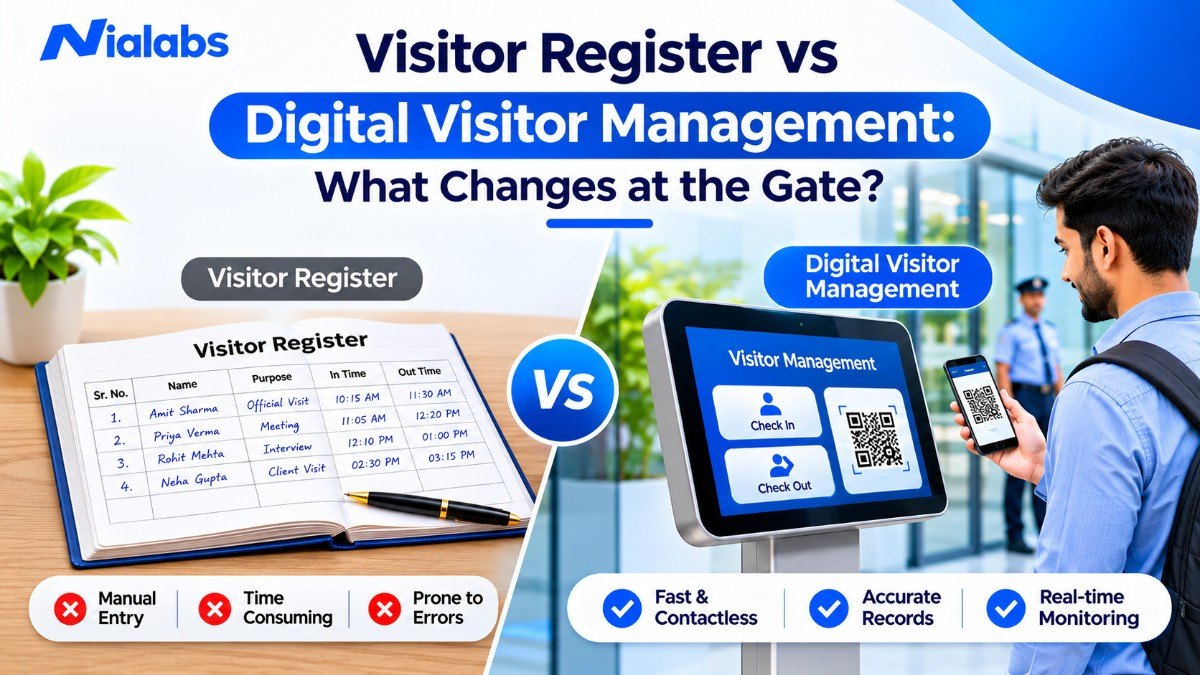
At most Indian offices, schools and factories, a visitor still writes their name, phone number and purpose of visit in a register while the guard phones the host. That works at a single gate with a few visitors a day. It starts to break when visitor numbers grow, a second gate opens, or someone asks for last month's visitor history.
|
Key Takeaways
|
How Does a Traditional Visitor Register Work?
A traditional visitor register, also called a visitor log book, is a bound physical register kept at the security cabin or reception. Visitors usually write their name, phone number, organisation, purpose of visit, host's name, entry time and signature. The guard may call the host to confirm the visit before allowing entry, and the exit time is written when the visitor leaves, if someone remembers to record it.
The register is cheap, needs no training and keeps working during a power cut. For a small premises with low visitor traffic, that may be all you need. Its weaknesses come from its design: it depends on handwriting, manual checks and staff remembering every step. Entries can be incomplete or illegible, every visitor can read the previous visitor's phone number, and finding an old entry means searching page by page through stored registers.
What is a Digital Visitor Management System?
A digital visitor management system is software that replaces the paper sign-in register with an electronic process for registering, approving, tracking and checking out visitors. Registration can be done by an administrator, a guard, or the visitor through a web form. Depending on the setup, the system then routes an approval request to the host, issues a visit-specific QR pass, records entry and exit scans, and shows live visitor status on a dashboard.
The result is a standardised gate process and a searchable, timestamped record that authorised staff can filter and export. Features vary by provider and configuration, so map your own gate workflow before you compare solutions.
Visitor Register vs Digital Visitor Management: Key Differences
|
Parameter |
Paper visitor register |
Digital visitor management |
|---|---|---|
|
Registration |
Handwritten by the visitor |
Web form, QR self-registration or guard-assisted entry |
|
Host approval |
Phone call or verbal OK, usually unrecorded |
Approval request to the host, or automatic approval for configured visitor types |
|
Identity check |
Guard's judgement at the counter |
Optional photo, ID or face recognition check, where supported |
|
Visitor pass |
Handwritten slip, sticker or none |
QR pass issued for that visit only |
|
Entry record |
Written time and signature |
Timestamped check-in scan at the assigned gate |
|
Who is inside now |
Read the register or call departments |
Live dashboard across configured gates |
|
Exit record |
Written manually, often missed |
Check-out scan closes the visit |
|
Record search |
Page-by-page |
Search and filter by date, host, gate or visitor type |
|
Reporting and audits |
Compiled by hand or photographed |
Exportable reports from recorded data |
|
Multiple gates |
A separate register at each gate |
One central view of every configured gate |
|
Visitor privacy |
Every visitor can see earlier entries |
Role-based access to visitor records |
|
Cost to start |
Very low: a bound register and a pen |
Software licence plus a phone or tablet at each gate |
The practical advantage is consistency. Registration, approval, entry and exit become connected events in one record instead of separate notes and phone calls.
What Changes at Each Stage of the Gate Process?
Here is how each step of a visit changes when the register goes digital.
Visitor registration
Paper: The visitor fills in the register, and the guard checks whether the fields are complete and readable.
Digital: The visitor scans a QR code and completes a web form on their own phone, or the guard enters the details. Required fields keep every record complete. A browser-based form means visitors, vendors and parents do not have to install an app.
Verification and host approval
Paper: The guard calls the employee or department. Approval is usually verbal and difficult to trace later.
Digital: The system sends an approval request to the host, or applies automatic approval rules for trusted visitor types such as a regular vendor. Additional checks like OTP or face recognition may be available depending on the solution. These steps strengthen visitor entry management, but staff must still follow site security procedures.
Pass generation and entry
Paper: The visitor receives a handwritten slip, or the guard waves them in after the call.
Digital: The system generates a QR visitor pass for that specific visit. The guard scans it at the assigned gate to record check-in. Because the pass is tied to one visit, an old pass cannot simply be handed on for a later visit. It is the same weakness that separates static and dynamic QR codes in attendance systems. Where enabled, face recognition adds a second verification step; it is not required for every visitor.
On-site tracking and exit
Paper: To find out who is still inside, security staff review the register or call departments. Exit times are frequently missed.
Digital: A live dashboard shows checked-in visitors across configured gates. Scanning the pass at exit records visitor check-in and check-out against the same visit and closes it. When a visitor leaves without scanning, staff use a manual check-out so the record stays accurate.
Records, audits and incident review
Paper: When a client, auditor or the police asks for visitor history, someone searches stored registers or photographs pages.
Digital: Every registration, approval and scan is timestamped, so the full history of a visit can be filtered and exported in minutes.
Why Do Organisations Move Beyond Paper Registers?
Most sites switch for operational reasons, not because paper is unfashionable. The usual triggers are:
-
Queues at busy entrances: handwriting plus repeated phone calls slow down peak hours such as school dispersal or factory shift changes.
-
Missing or illegible details: structured fields stop half-filled entries.
-
No approval trail: recorded host decisions make incidents easier to review.
-
Gates that never reconcile: when each entrance keeps its own register, a full headcount is slow.
-
Audit and incident requests: searchable history replaces hours of page-turning.
Digital software does not replace guards or automatically stop unauthorised entry or tailgating. It gives staff a consistent process to follow, and when it is linked to physical barriers, it can control who actually passes through.
When is a Paper Visitor Register Still Enough?
Not every site needs software on day one. A paper register can still be adequate when:
-
There is a single entrance and only a handful of visitors a day.
-
Visitors are mostly familiar, such as the same few vendors every week.
-
Nobody needs visitor history for audits, clients or inspections.
-
The same guard is on duty most days and knows regular visitors by face.
Your site has outgrown the register if any of these sound familiar:
-
You run more than one gate, or a separate vehicle entrance.
-
You regularly host contractors, interview candidates, parents or delivery staff.
-
Nobody can answer "who is inside right now?" within a minute.
-
Host approvals cause queues at the gate.
-
A request for visitor records took hours to answer.
|
Site type |
Typical visitors |
What digital visitor management adds |
|---|---|---|
|
Schools |
Parents, guardians, vendors, guests |
Recorded approvals and a clean record of every adult on campus during school hours |
|
Corporate offices |
Clients, interview candidates, couriers |
Host approval, badge printing and a faster front desk |
|
Factories and warehouses |
Contractors, suppliers, drivers |
Vehicle number capture, per-gate timings and a contractor history |
|
Hospitals |
Attendants, vendors, medical representatives |
Visitor-type rules and a live count of who is inside |
|
Residential complexes |
Guests, domestic staff, deliveries |
Pre-approved entries and a searchable gate log |
Schools carry an extra duty of care around student handover. If you run a school, use our step-by-step school gate protocol for parent pickups and vendors alongside this comparison.
What Should You Check Before Replacing a Visitor Register?
Before selecting a digital visitor register, measure your daily visitor volume, number of gates and the visitor types you handle. Then check whether the system offers:
-
Pre-registration and self-registration without an app download
-
Host approval, plus automatic approval rules by visitor type
-
QR check-in and check-out at the gate
-
Identity verification options such as photo, ID or face recognition
-
Live visitor status across all gates
-
Multi-gate visitor management: guard assignment and separate gate timings
-
Offline behaviour when the network drops
-
Vehicle capture and badge printing
-
Exportable reports and an audit trail
-
Integration with access control, HR directories and SMS or email alerts
Visitor data protection under the DPDP Act
Visitor records contain personal data: names, phone numbers, photographs and sometimes ID details. India's Digital Personal Data Protection Act, 2023 and the DPDP Rules, 2025 are being enforced in phases, with most core obligations applying from May 2027. Prepare now: collect only the fields you need, tell visitors why you collect them, restrict who can view records, and set a retention and deletion schedule. If you capture face images at check-in, or run visitor entry alongside a biometric attendance system for staff, apply the safeguards covered in biometric data privacy. Digital storage alone does not make a process compliant, so confirm your obligations with your legal adviser.
How Nialabs Supports Digital Visitor Management
Nialabs is a Jaipur-based biometric hardware manufacturer that also builds the software running on its devices, so the visitor workflow, face recognition terminals and access control come from one vendor. Its cloud visitor management platform replaces the paper register with an eight-stage visit record: register, approval, QR generated, guard scans, check-in, live dashboard, check-out and visit closed.
-
Registration in under 30 seconds by an admin, a guard, or the visitor through a web QR form, with no app download for visitors.
-
Automatic or manual approval, with rules set per visitor type, including vendors, parents, contractors and interview candidates.
-
Dynamic QR pass for each visit: one scan in at the assigned gate, one scan out at exit.
-
Live dashboard filtered by gate, host, visitor type and status, with a one-tap manual check-out override.
-
Multi-gate control: assign guards to specific gates and set operating hours for each gate.
-
Guard app on Android, free on Google Play for licensed sites. Scans queue offline and sync when the network returns.
-
Face recognition check-in, Bluetooth badge printing and vehicle number capture for drive-in visits.
-
Timestamped, exportable audit trail of every registration, approval and scan.
Approved visitors can also be synced with turnstiles and door access controls, so physical entry follows the approval instead of a phone call. According to Nialabs, a typical rollout, covering gate configuration, host directory setup and guard training, is completed in one day.
Conclusion
A paper visitor register is enough for a small site with one gate and familiar visitors. Once traffic, entrances and reporting needs grow, separate handwritten logs become hard to coordinate and slow to audit. A digital visitor management system connects registration, approval, entry, live tracking and check-out in one structured record. Choose a solution based on your real gate procedures, verification needs and data protection practices, not the feature list alone.
Frequently Asked Questions
What is the main difference between a visitor register and a digital visitor management system?
A visitor register is a paper log of what visitors write down. A digital visitor management system connects registration, approval, QR check-in, live status and check-out in one searchable record.
Can a digital visitor management system replace a paper register?
Yes, for most offices, schools and factories, if it meets your operational and legal record-keeping needs. Many sites run both for a short trial, then retire the paper register.
How does QR-based visitor check-in work?
After approval, the visitor receives a QR pass for that specific visit. The guard scans it at the gate for check-in and again at exit for check-out.
Do visitors need to download an app to check in?
Not always, as browser-based systems let visitors register through a web form opened from a QR code. In the Nialabs Visitor Management System, visitors need no app; only guards use the Android guard app.
Can one system manage visitors across multiple gates?
Yes, if the system supports multi-gate configuration. A central dashboard shows visitors across all gates, while each guard sees only their assigned gate.
What happens if the internet goes down at the gate?
Some systems stop working offline, which causes queues at the gate. The Nialabs guard app queues QR scans offline and syncs them automatically when the network returns.
Is digital visitor management suitable for schools, factories and hospitals?
Yes, each site can configure visitor types and approvals to match its security procedures. Schools record parent and vendor entry, factories manage contractors and vehicles, and hospitals track attendants and vendors.
Does the DPDP Act apply to visitor records?
Yes, visitor names, phone numbers, photos and ID details are personal data under India's DPDP Act, 2023. Collect only necessary fields, explain the purpose, restrict access and set deletion timelines before core obligations apply in May 2027.
Does digital visitor management guarantee better security?
No, it supports verification, recorded approvals and live tracking, but security still depends on trained staff and physical controls. Software makes the gate process consistent and auditable; it does not replace guards.
How long does it take to switch from a paper register to a digital system?
A cloud system can be set up quickly, without new hardware at every gate. Nialabs states that a typical rollout, from gate configuration to guard training, is completed in one day.
