
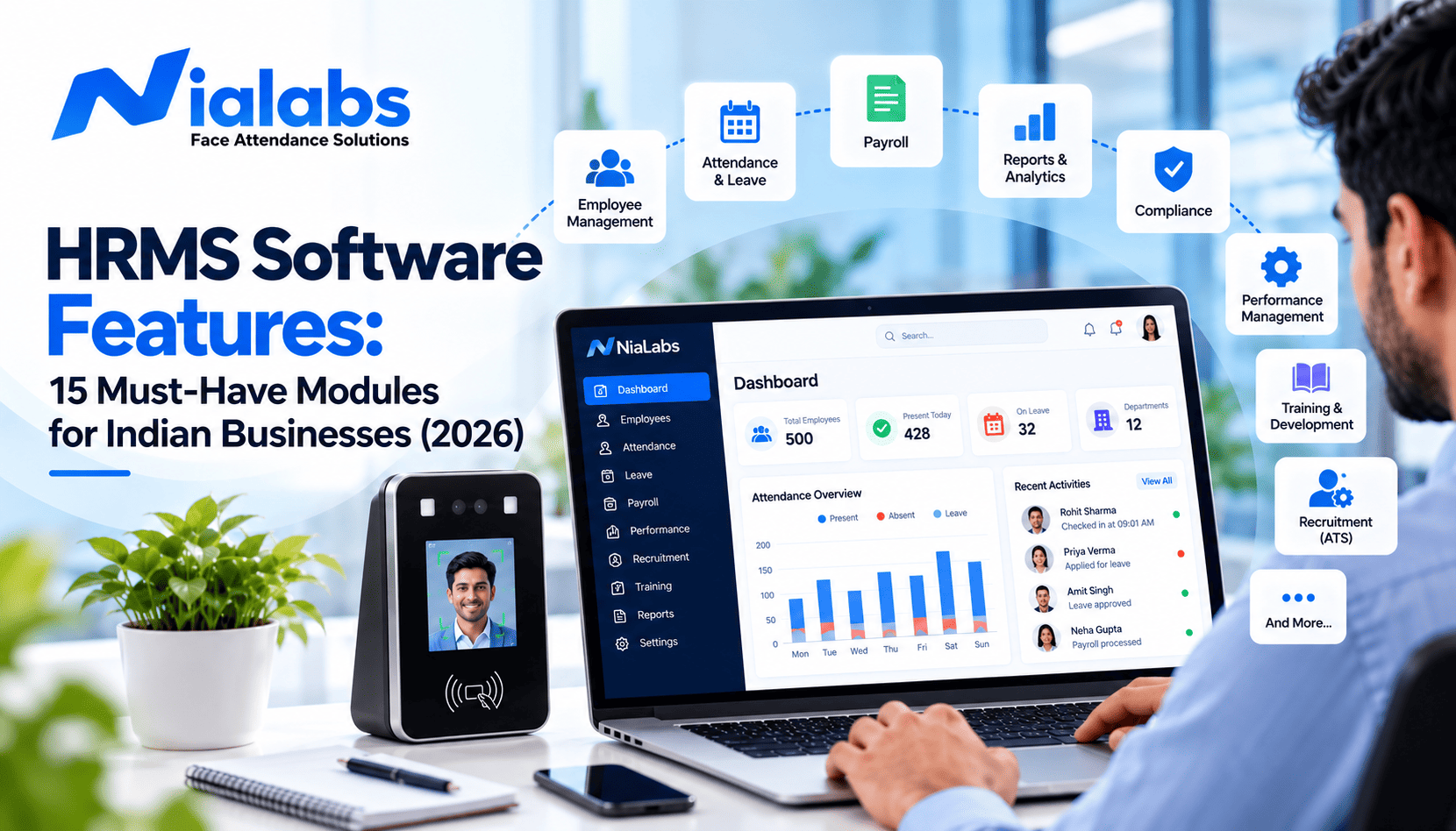
The HRMS software features for Indian business needs fall into four groups: a clean employee database, verified attendance and leave, payroll with PF, ESI, Professional Tax and TDS built in, and the controls that keep employee data safe and connected. This guide breaks those groups into 15 modules, explains what each one should do in 2026 and tells you exactly what to test in a vendor demo.
Many companies buy an HR platform that looks impressive in the demo, then discover at month-end that it cannot generate a PF challan, apply Professional Tax slabs for a second state or read a night shift that crosses midnight. The rules have also moved: India's four Labour Codes took effect on 21 November 2025, and most obligations under the DPDP Rules become enforceable on 13 May 2027. If you need the basics first, start with our guide on what an HRMS is and how it works. This article is the feature checklist that comes next.
Key Takeaways
• An India-ready HRMS needs 15 core modules, but payroll, statutory compliance and attendance decide whether it actually works at month-end.
• The four Labour Codes took effect on 21 November 2025 and consolidated 29 central labour laws, so wage rules inside your HRMS must be editable without custom code.
• Most DPDP Rules obligations become enforceable on 13 May 2027, so consent, role-based access and deletion for employee and biometric data must already be in your HRMS.
• Payroll is only as accurate as attendance: buddy punching, missed punches and unsynced devices cause more salary errors than wrong formulas.
• Test every HRMS with your own data: one new joiner, one night shift that crosses midnight, one state PT slab and one final payslip.
The 15 HRMS Software Features at a Glance
Use this table as a shortlist. Must-have modules should be in the base product for almost every Indian business; good-to-have modules can be added as you grow.
|
# |
Module |
What it must do in India |
Priority |
|
1 |
Core HR and employee database |
One record per employee with UAN, ESIC number, documents and reporting line |
Must-have |
|
2 |
Time, attendance and shifts |
Biometric and mobile punches, rosters, overtime, shifts that cross midnight |
Must-have |
|
3 |
Leave management |
State-wise holiday calendars, accruals, carry-forward, comp-off |
Must-have |
|
4 |
Payroll processing |
Salary structures, arrears, loans, variance checks, bank transfer file |
Must-have |
|
5 |
Statutory compliance |
PF, ESI, PT, LWF and TDS calculations, challans and returns |
Must-have |
|
6 |
Travel and expense |
Mobile receipts, policy checks, reimbursement through payroll |
Good to have |
|
7 |
Employee self-service (ESS) |
Payslips, leave, regularisation and Form 16 on mobile |
Must-have |
|
8 |
Manager self-service and workflows |
Multi-level approvals with reminders and escalation |
Must-have |
|
9 |
Recruitment and applicant tracking |
Job posts, candidate pipeline, offer letters, data handover |
Good to have |
|
10 |
Onboarding |
Document and KYC collection, e-sign, joining checklist |
Must-have |
|
11 |
Performance management |
KRAs or OKRs, continuous feedback, rating calibration |
Good to have |
|
12 |
Learning and development |
Mandatory training such as POSH and safety, certification records |
Good to have |
|
13 |
HR analytics and reporting |
Headcount, attrition, absenteeism and payroll cost dashboards |
Must-have |
|
14 |
Data protection and DPDP readiness |
Role-based access, encryption, audit trail, consent, deletion |
Must-have |
|
15 |
Integration and scalability |
Open API, biometric and ERP integration, multi-entity support |
Must-have |
Foundation Modules: Getting Employee and Attendance Data Right
Every other module reads from these three. If employee records or punch data are wrong, payroll, compliance and reports will all be wrong in the same way.
1. Core HR and Employee Database
A core HR module keeps one accurate record for every employee: personal details, documents, job history, department, reporting line, UAN and ESIC numbers. The record is created once at hiring and reused by attendance, payroll and compliance, so HR stops re-typing data between tools.
Look for custom fields, bulk import, alerts for expiring documents and a live organisation chart. When an employee moves teams or locations, the change should flow to every module automatically.
|
Test it in the demo: Import 20 real employee rows from your spreadsheet and check how many fields map without manual fixing. |
2. Time, Attendance and Shift Management
Attendance is the input that payroll trusts, so it needs the strictest checks. A strong module supports shift management with rotating rosters, overtime rules, late marks, geofenced mobile check-in for field staff and direct integration with biometric devices.
Device integration is where many setups fail. Punches should reach the HRMS in real time, devices should store punches offline during a power cut and sync later, and liveness-checked face attendance should block photos, videos and buddy punching. Missed punches still happen, so the HRMS also needs a clean attendance regularisation workflow before payroll closes.
Nialabs makes NiaFace terminals with liveness detection that push verified punches into Nialabs HRMS or into platforms such as greytHR, Keka, Darwinbox and Zoho People.
3. Leave Management Across Indian States
Indian companies handle casual, sick, earned, maternity, compensatory and optional leave, often with different holiday calendars for each state or branch. The leave module should let you set policies by location, grade or employee type, with accrual, carry-forward, encashment and approval rules.
Leave balances must update attendance and payroll directly. If HR still adjusts leave in Excel at month-end, the module is not doing its job.
Pay and Compliance Modules: Where India-Ready Software Proves Itself
Global HR tools often look similar to Indian ones until payroll day. These three modules separate software built for India from software adapted for it.
4. Payroll Processing
The payroll module converts attendance, leave and overtime into gross pay, deductions and net pay. It should handle multiple salary structures, arrears, loans and advances, bonuses, variable pay, full and final settlement and a bank transfer file ready for upload.
A useful extra is a variance report that flags unusual month-on-month changes before salaries are released, so errors are caught by HR instead of employees.
5. Statutory Compliance: PF, ESI, PT, LWF and TDS
This is the biggest gap between global and India-ready platforms. The HRMS should calculate EPF, ESI, Professional Tax, Labour Welfare Fund and TDS correctly for every state you operate in, then generate challans, returns and Form 16.
Configurability now matters as much as accuracy. The four Labour Codes took effect on 21 November 2025 and introduced a uniform definition of wages, which affects how PF and gratuity are calculated. State rules are still being notified at different speeds, so the HRMS must let you change wage components and statutory rules without paid custom development.
6. Travel and Expense Management
Sales and field teams claim expenses every week. An expense module should capture receipts from a phone, apply policy limits automatically, route claims for approval, track mileage and pay approved amounts through payroll.
Automated policy checks cut the back-and-forth between finance and employees and shorten reimbursement time.
Self-Service and Workflow Modules
Self-service modules move routine HR requests off email and WhatsApp and onto a tracked workflow.
7. Employee Self-Service (ESS) Portal
ESS lets employees view payslips, apply for leave, request attendance corrections, update personal details and download Form 16 without contacting HR. This cuts the daily stream of small queries to the HR team.
Choose a mobile-first ESS. Many Indian employees, especially on shop floors and in the field, use a phone far more than a laptop, and a desktop-only portal will simply not be used.
8. Manager Self-Service and Approval Workflows
Approvals stall when they live in email threads. Manager self-service gives managers one place to approve leave, regularisation, overtime and expense requests, with team attendance visible at a glance.
Workflows should support multiple approval levels, for example a functional manager and then an HR head, with automatic reminders and escalation when a request sits too long.
Talent Modules: Hiring, Onboarding, Performance and Learning
Talent modules matter more as headcount grows. Smaller teams can often add them later without changing the core platform.
9. Recruitment and Applicant Tracking System (ATS)
An applicant tracking system keeps job posts, resumes, interview feedback and offers in one pipeline. Useful features include a careers page, resume parsing, interview scorecards and offer letter templates.
The key test is the handover: once a candidate accepts, their details should move into the employee record automatically, with no second round of data entry.
10. Onboarding
Onboarding should start before day one. The module should collect documents, run KYC checks, issue appointment letters through e-signature and trigger tasks for IT, admin and the reporting manager.
Paperless onboarding is faster, and it also produces a cleaner audit trail of what each employee submitted and signed.
11. Performance Management
Annual appraisals alone rarely give a fair picture. A performance module should support goals as KRAs or OKRs, continuous feedback, 360-degree reviews where needed and rating calibration across teams.
Look for a direct link from final ratings to increment letters, so the outcome of the review is applied without spreadsheet work.
12. Learning and Development
A learning module assigns courses, tracks completion and stores certifications. For Indian workplaces it is especially useful for mandatory training such as POSH awareness and safety inductions, where proof of completion matters.
Linking training records to performance reviews helps HR show whether learning spend is actually improving results.
Control and Scale Modules: Reporting, Data Protection and Integration
These modules decide whether the HRMS stays useful, safe and affordable as the company grows.
13. HR Analytics and Reporting
Dashboards should show headcount, attrition, absenteeism, overtime and payroll cost in real time, with filters for location, department and employee type.
Scheduled and custom reports save HR from rebuilding the same Excel file for leadership every month.
14. Data Protection and DPDP Act 2023 Readiness
An HRMS holds salary details, bank accounts, identity documents and, with biometric attendance, biometric templates. All of this is personal data under the DPDP Act 2023. The DPDP Rules 2025 were notified on 13 November 2025, and most obligations become enforceable on 13 May 2027.
Check for role-based access, encryption, audit trails, consent management, defined retention periods and a working deletion process. For biometric data, ask where it is stored, who can access it and how a deletion request is handled. This is general guidance, not legal advice.
15. Integration and Scalability
No HRMS works alone. It should connect through open APIs or webhooks with biometric devices, accounting software, ERP systems, access control and communication tools. Our glossary entry on HRMS integration explains the common connection methods.
For growth, check multi-location and multi-entity support, so a new branch or a new company is added to the same platform instead of a new one.
Which HRMS Features Matter Most for Your Business?
Not every company needs all 15 modules on day one. The right starting set depends on headcount, locations and how your workforce is scheduled.
|
Business profile |
Start with |
Add next |
Watch out for |
|
Small office, 20 to 100 staff, one state |
Core HR, attendance, leave, payroll, PF, ESI, PT, ESS |
Onboarding, reports |
Paying for modules you will not use for two years |
|
Growing company, 100 to 500 staff, multiple branches |
All must-haves plus manager workflows and multi-branch attendance |
Recruitment, performance |
State-wise PT and LWF, branch-level holiday calendars |
|
Factory or plant with shift workers |
Shift rosters, overtime, biometric integration, PF and ESIC records |
Learning for safety training |
Night shifts crossing midnight, offline punching at gates |
|
Multi-state enterprise, 500+ staff |
Every must-have plus multi-entity, APIs and analytics |
Advanced analytics |
Access control and DPDP readiness across entities |
How to Test HRMS Features in a Vendor Demo
A demo only proves something if it runs on your data and your rules. Use these six steps with every vendor on your shortlist, then compare leading HRMS vendors in India on the same checklist.
1. Bring your own data. Share anonymised employee rows, salary structures and shift patterns before the demo, so the vendor shows your reality, not a perfect sample.
2. Run one full month. Include one new joiner, one late mark, one overtime day, one leave and one night shift that crosses midnight, then generate the final payslip.
3. Change a rule live. Add a second state's PT slab or edit a wage component and see whether it needs a support ticket.
4. Connect a real device. Punch on an actual attendance terminal and confirm the punch reaches payroll with the same employee ID.
5. Pull the statutory outputs. Ask for the PF, ESI and PT reports for the test month, in the format your consultant files.
6. Get the module list in writing. Confirm which modules are in the quote and which are add-ons, then speak to a reference customer of your size and sector.
Where Nialabs Fits
Nialabs makes its own NiaFace attendance hardware and builds the HR software that runs on it. attendance and payroll HRMS comes in two plans, Attendance Only and Attendance + Payroll, and covers core HR, shifts, leave, payroll with PF, ESI, PT and TDS, payslips and reports.
Because the device and the software come from one company, punches move from the gate to payroll without a third-party connector. Devices keep working offline and sync when the connection returns; 4G models suit sites without reliable Wi-Fi, and field staff can mark attendance with a liveness-verified selfie in the employee app. You can match devices to each site from the NiaFace attendance terminal range.
Nialabs HRMS is focused on attendance to payroll. If you need recruitment, performance or learning modules, you can run a full-suite HRMS and let Nialabs devices push verified attendance into it. Our guide on when consolidating attendance, leave and payroll tools pays off helps you decide which setup fits.
Frequently Asked Questions
What are the key features of HRMS software?
The key features of HRMS software are core HR records, time and attendance, leave management, payroll, statutory compliance, employee and manager self-service, onboarding, reporting, data protection and integrations. Recruitment, performance, expense and learning modules are usually added as the company grows.
Which HRMS features are essential for Indian companies?
Indian companies need payroll that calculates PF, ESI, Professional Tax, Labour Welfare Fund and TDS for every state they operate in, along with challans, returns and Form 16. Attendance and leave rules must feed payroll directly, and wage rules must be editable for the Labour Codes.
Can HRMS software integrate with biometric attendance machines?
Yes. Most modern HRMS platforms connect with biometric devices through an API, webhook, cloud sync or file import. Real-time API integration is the most reliable option because punches reach payroll without manual uploads. Keep employee IDs identical in the device and the HRMS.
How do the new Labour Codes affect HRMS payroll settings?
The four Labour Codes took effect on 21 November 2025 and introduced a uniform definition of wages, which changes how PF and gratuity are calculated for many salary structures. Your HRMS should let you update wage components and statutory rules without custom development.
Does HRMS software need to comply with the DPDP Act 2023?
Yes. Employee records, bank details and biometric templates are personal data under the DPDP Act 2023. Most obligations under the DPDP Rules become enforceable on 13 May 2027, so the HRMS should support consent, role-based access, audit trails, retention limits and deletion.
Which HRMS modules should a small business start with?
A small business should start with core HR, attendance, leave, payroll with statutory compliance and employee self-service. These cover most monthly HR work. Recruitment, performance, expense and learning modules can be added later on the same platform as headcount grows.
Conclusion
The right HRMS depends on your size and industry, but these 15 modules form the core that most Indian businesses need in 2026. Prioritise payroll, statutory compliance and attendance first, because every other module depends on the accuracy of those three. Then test each feature with your own data before you sign.